
Tips for filling out job applications - and how to autofill them
Most application time goes to retyping the same information and rewriting the same answers. These are the tips that actually cut that time down - plus how to autofill job applications where the typing happens.
Most of the time you spend on a job application goes to the boring parts. You retype the same name, address, work history, and links into yet another form. You hunt for answers you already wrote last week — expected salary, notice period, "are you authorized to work in...". Then you stare at one open question, "Why do you want to work here?", long after the easy fields are done.
None of that improves your chances. It's just overhead — and overhead is the part you can cut, without cutting corners on what actually matters: the facts you claim and how well your answers fit the job.
Below are the tips that work, roughly in the order that saves you the most time. Where the typing itself can be handed off, I'll show you how to autofill the forms too.
Tips for filling out job applications
1. Keep a master answers document
Create one document with everything applications keep asking for: contact details, links (LinkedIn, GitHub, portfolio), education dates, job dates with locations, salary expectation, notice period, work authorization for each country (whether you have the legal right to work there), references, and your standard answers to the questions that keep coming up.
The rule is simple: never write the same answer twice. If a form asks something new that could come up again, write a good answer once — then save it in the document. Next time you paste it instead of writing it again.
A few of these aren't free text, so decide the exact value in advance. Desired salary is the classic trap. It's often a required number with no "negotiable" box. Some applicants report that an ATS (applicant tracking system — the software companies use to manage applications) filters people out automatically based on the number you enter: too low costs you money, too high can rule you out. Decide your figure once — or your range, and how you'll phrase it — instead of guessing under pressure on every form.
2. Fix your resume once — everything else inherits from it
A clear, well-structured resume helps with more than recruiter screening. It's the raw material for every answer you — or any AI tool — will write about your experience. If the resume is vague, every answer built from it will be vague too.
We wrote a separate guide on using ChatGPT to improve your resume. The short version: tighten the wording, show the most relevant experience for each role, and never let a tool invent anything.
3. Answer from the job description, not from memory
The open questions — "Why this role?", "Describe your relevant experience" — are where the time quietly goes. One of these can easily take 10 minutes or more. The fix is mechanical: keep the job description open and build your answer from its requirements, using its words, instead of writing from memory. You'll write faster and land closer to what the screener is looking for.
This is also exactly what a job application answer generator does. It reads your CV and the job description together and drafts an answer for you to edit. Use one or don't — but either way, the job description is your brief.
4. Know the multi-step wizards before they know you
Company career sites built on platforms like Workday and Zoho split the application into several steps. The "My Experience" step, with its repeating work-history sections, is where most of the retyping lives. Two habits help. First, save your progress at every step the form allows — these sites often time out. Second, never use the browser's back button in the middle of a multi-step form (a "wizard"). Use the form's own Next and Back buttons instead, or you may lose the step you just filled.
One thing worth knowing before you wear yourself out on that step: recruiters rarely have time to check every line of a hand-typed work history. In online discussions, some hiring managers even admit that when they apply themselves, they only fill in their last couple of roles. For a wide application push, a clean last two roles usually beats a long, painfully complete decade. Just don't use that shortcut on the screening questions in these same steps — those are checked automatically (more on that below).
A warning from building and testing ApplyBtn on these forms: give them extra time. Even good autofill tools fill multi-step wizards only partly, so expect to finish some fields by hand. Here's why. These wizards build their fields with JavaScript and use custom dropdowns and date pickers that aren't standard form elements. Most autofill — including your browser's own — can't touch the location, date, and search-style pickers. Those are the parts you finish yourself. And check that each field actually saved: applicants report Workday marking a field as "required" even after it looks filled, until you click back into it and nudge it. A form that looks filled isn't always a form that will submit cleanly.
5. Batch your applications — and track them
Ten applications done in one focused block beat ten spread across a week. Your document is open, your wording is warm from practice, and you pay the setup cost once. Then track what you sent, where, and what happened. Untracked applications are how you re-apply to the same company by accident, or miss a follow-up. A spreadsheet works; a dedicated tracker works better. We compared the tracking tools alongside the autofill ones in our best AI job application tools roundup.
6. Stop pasting the same cover letter
If the cover letter is optional and you're pasting the same generic one everywhere, it's doing nothing for you. A recruiter spots a template right away, and so does the next one. So either skip the optional letters on your wide applications, or write one that's genuinely specific — built from your background and this job's description. An AI cover letter generator that reads both can draft that specific letter in seconds. The same honesty rule applies: edit it into your own voice before you send it.
In recruiter discussions online, many say they skim past weak letters and only read one closely when it's the tiebreaker between two similar candidates. So treat a generic paste as rarely read, and occasionally counted against you. Write a real letter only for the jobs you'd truly hate to lose.
How to autofill job applications
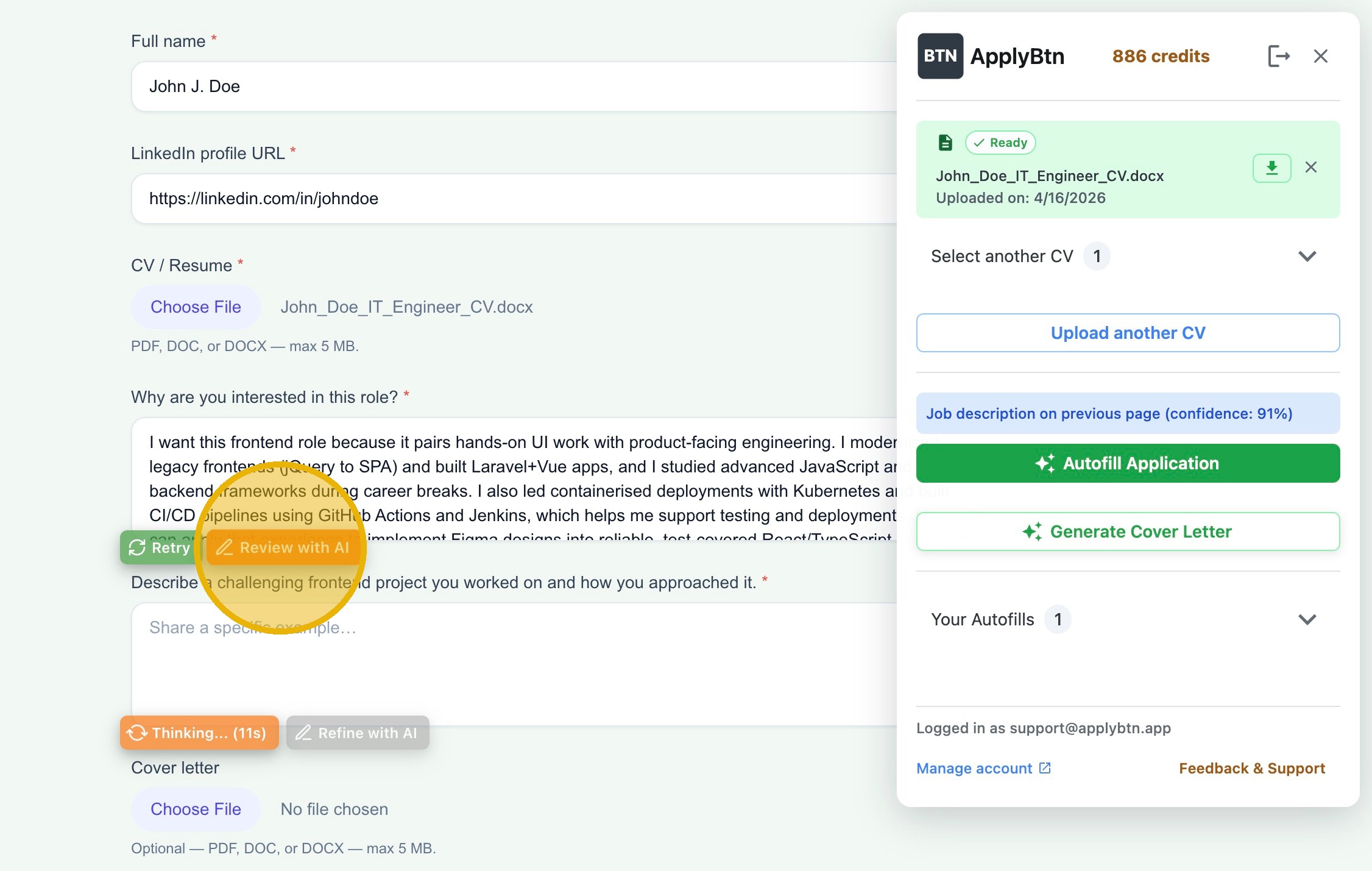
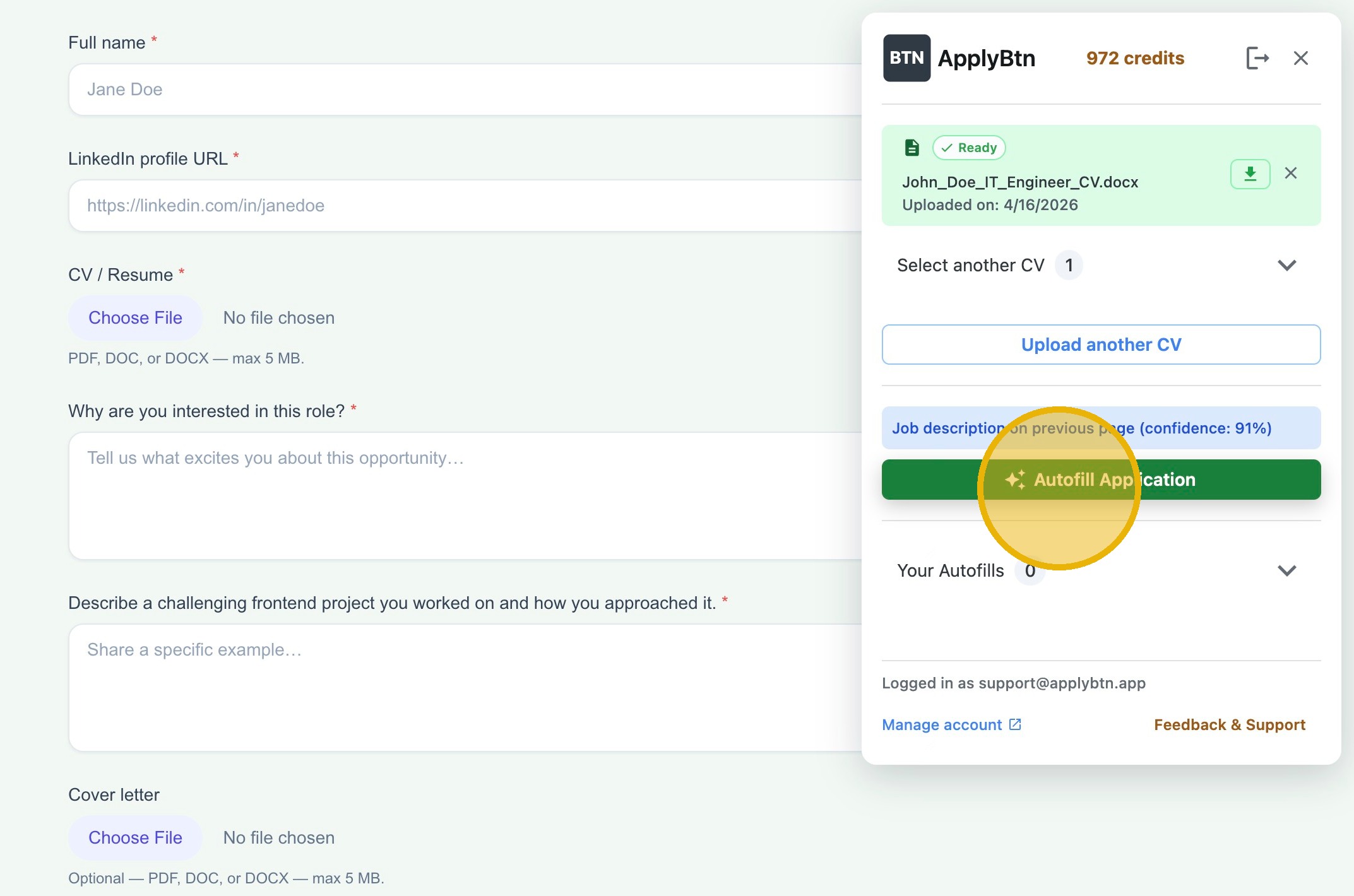
The tips above shrink the writing. The retyping itself — moving your data into form fields — is the part you can hand off almost completely. Autofill just means the tool fills those fields for you from your saved details. Here's the flow with a job application autofill extension:
- Install the extension and upload your CV once. That's the whole setup with ApplyBtn's AI job application autofill. There's no dashboard to fill in first — your CV is your profile.
- Open the job posting and click Apply. The extension works right on the application page you land on, whether that's a big ATS or a company's own form.
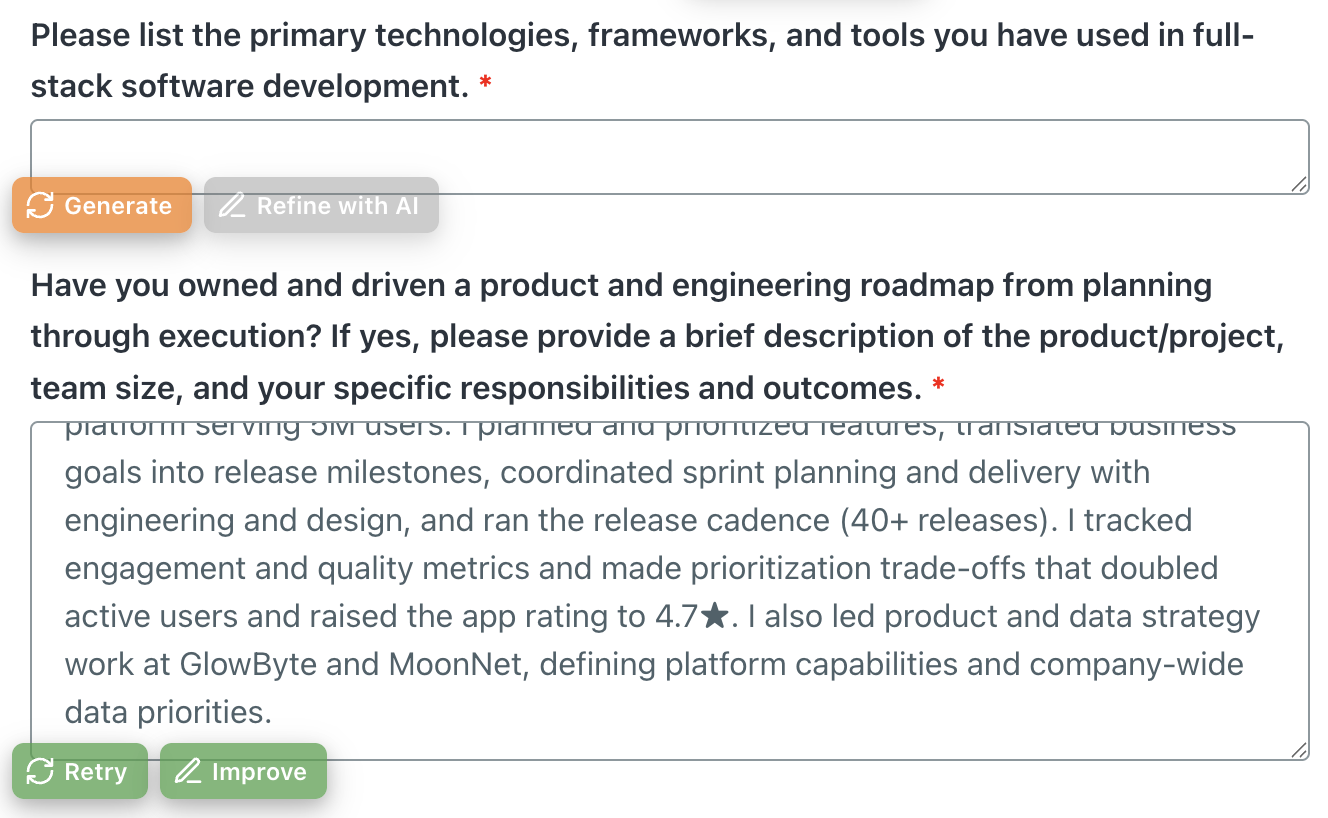
- Run the autofill and watch the fields fill in — contact details, work history, education, links. Answers to the open questions are generated from your CV and the job description on that page, so they come out tailored, not templated.
- Review every field. This step is not optional. Check the facts, edit the generated answers into your own voice, and fill in anything the tool couldn't reach.
- Submit it yourself. A tool that submits for you is a different kind of tool (auto-apply), with a different trade-off: more volume, but less control and less tailoring. For jobs you actually want, keep the send button in human hands.
Honest expectations: on standard forms, this removes most of the typing. On the multi-step wizards from tip 4, expect a partial fill and some finishing by hand. The goal isn't zero effort — it's spending your time on judgment instead of data entry.
What not to automate
Never automate the final review. Any fact — dates, job titles, visa status, notice period — gets your eyes before it's sent, whether a tool wrote it or you did at 1 a.m. And for the few jobs you really care about, spend the minutes the automation saved on the parts people actually read: the open answers and the letter.
Some of those answers are more than facts — they're a gate. The screening questions near the end of most applications ("Are you authorized to work in...?", "Do you need visa sponsorship?", "At least X years of experience?", "Willing to relocate?") are often knockout questions. A knockout question is one where a single disqualifying answer can filter you out automatically. Applicants report being rejected this way with no human involved, and some employers filter on the salary field in the same way. So never let autofill answer these on autopilot. Read each one, make sure it matches your real situation, and answer honestly — anything you bend to get past the gate tends to come back on the first call.
Fill the boring parts in seconds, and keep the judgment calls for yourself. That's the whole system. If you want the retyping gone today, ApplyBtn is free to start: install it, upload your CV, open a job application, and review what fills in.