 By Lucy Vale
How to use ChatGPT to improve your resume - and make job autofill work better
A clearer, better-structured resume does more than look stronger to recruiters. It also gives AI job autofill tools better source material, which leads to more accurate answers, cover letters, and application form fills.
Not every resume problem is about experience. Often the real problem is simpler: the resume stays general while the job posting is specific.
A general resume hides your best experience. It also leaves recruiters — and any AI tool helping with the application — with too little to work with about your real skills, tasks, and results.
So before you apply, adjust the resume to the role. Make the wording clearer, move your most relevant experience up, and use the same words the job description uses.
ChatGPT is good at this work — as long as you treat what it writes as a draft and never let it invent experience you don't have.
Useful ways to use ChatGPT for your resume
1. Compare the resume with the job description
Give ChatGPT the job description and the relevant parts of your resume. Ask which requirements your experience already covers, and which ones are unclear or missing.
For example:
Compare this resume with the job description. List the most important requirements, show which ones are supported by the resume, and identify relevant experience that should be made more visible. Do not add any skills or experience that are not present in the resume.
Now you have a simple gap list before you change a single line.
The point is not to copy the job description. It is to see which parts of your real experience matter most for this role, and bring them forward.
2. Make weak bullet points more specific
Bullet points often list duties but never show the size or the result of the work.
For example:
Responsible for improving the application process.
This doesn't say what changed or what you did. A stronger version might be:
Redesigned the application workflow, reducing repetitive manual steps and improving completion time.
But that version only helps if it stays true.
You can ask ChatGPT:
Rewrite these resume bullet points to show ownership, scope, and results more clearly. Preserve the original meaning and do not invent numbers, achievements, tools, or responsibilities.
If you don't have exact numbers, describe the result in plain words instead of making one up. "Reduced repetitive work" beats a percentage you can't back up.
This isn't only about honesty. Recruiters online often say that a round or oddly precise percentage gets an eye-roll rather than respect — and a number you can't explain in the interview hurts you more than the plain, true version ever would.
3. Add relevant keywords naturally
Recruiters and applicant tracking systems (ATS — the software companies use to collect and search applications) often use different words for the same experience. ChatGPT can pull the key terms from the job description and compare them with the words in your resume.
Ask:
Extract the important skills, tools, responsibilities, and role-specific terms from this job description. Show which ones already appear in my resume and suggest where relevant missing terms could be added naturally. Do not recommend terms that my experience does not support.
Don't turn your resume into a wall of repeated keywords. The terms should sit inside real sentences and bullet points that describe real experience.
Be realistic about what keywords actually do, though. Recruiters who run these systems say the ATS does not auto-reject you just for keywords. The one thing that does reject you automatically is a knockout question — a hard yes/no check such as work authorization or a required license, where a single answer removes you before any human looks. So matching the job's language mainly helps a person spot your experience faster. It is not a secret code you type to get past a filter — and stuffing your resume with repeated terms mostly makes it read like spam to whoever opens it.
4. Improve the summary section
A weak summary usually sounds like this:
Motivated professional with strong communication skills and a passion for delivering results.
It tells the reader almost nothing about you or the role.
A good summary says what you do, your main areas of experience, your strongest relevant skills, and the kind of work you're targeting.
Try:
Rewrite my resume summary for this role. Keep it to three or four sentences. Make it specific and factual, prioritise my most relevant experience, and avoid generic expressions such as “results-driven” or “passionate professional.”
Then read it closely. It should sound like you — not like an ad built from a template.
5. Check what is missing or unclear
ChatGPT can act as a second reader and flag things a recruiter might not understand.
Ask it to look for:
- Skills you mention but never back up with an example
- Responsibilities that stay too vague
- Career changes or gaps you don't explain
- Dates or job titles that don't line up
- Abbreviations that not everyone will know
- Important experience buried too far down the page
A useful prompt is:
Review this resume as if you were hiring for the attached job. What would you want clarified before inviting the candidate to an interview? Focus only on the information provided.
What ChatGPT should never add
ChatGPT can add confident-sounding details that were never in your resume. Always check its output before you use it.
Never let it invent:
- Employers, clients, or projects
- Skills or tools you haven't used
- Qualifications or certifications
- Team sizes or management responsibilities you didn't have
- Revenue, performance, or growth figures
- Languages or proficiency levels
- Dates or lengths of experience
Improving how you describe real experience is fine. Turning a nice-sounding guess into a false claim is not.
Make sure it still sounds like you
There's a second risk beyond invented facts: sounding exactly like everyone else who reached for the same tool. Hiring managers say they're buried in near-identical applications, and many report that a large share of the resumes in one batch now read the same way — clearly AI-written. Recruiters even name the tells: a sudden rush of words like "spearheaded," "leveraged," "adept," and "cutting-edge," rows of em dashes, and bullet points that are all the same tidy length.
None of that helps you stand out. If a rewrite reads smoothly but no longer sounds like how you'd describe your own work, put it back into your own words. Keep the concrete details only you would know — the specific system, the real constraint, the actual result. Aim for a resume that's clearer than your first draft, not one that could belong to any of the next hundred people.
A quick resume checklist before applying
Before you use the updated resume, check that:
- Your most relevant experience appears early
- Job titles, employers, and dates all match up
- Bullet points show contributions, not just duties
- Important role-specific skills are easy to see
- The wording stays factual and sounds natural
- Your contact details are current
- There are no leftover comments or editing notes
- The version you picked fits the type of role you're applying for
If you apply to a few different types of roles, keeping a separate resume version for each is usually easier than rewriting one document from scratch every time.
Job seekers online tend to reach the same conclusion. Tailoring your resume seems to raise your interview rate, but it takes time — a common rule of thumb is that real tailoring caps you at around ten applications a week rather than dozens a day. So many people compromise: they tailor by role category — one strong version for, say, analyst roles and another for project-management roles — and then tweak only the specifics for each posting, instead of rebuilding from scratch every time.
Why a better resume improves job autofill
A clearer resume doesn't only help the recruiter reading it. It's also the source that AI application tools read from — so a better resume means better output.
An AI job application autofill tool — software that fills in application forms for you and drafts answers — often has to respond to questions about your experience, skills, motivation, or fit for a role. It builds those answers from your resume. If the resume is vague, the answers come out vague too.
Clear descriptions of your real experience lead to:
- More accurate application-form answers
- Better matches between your experience and the job
- Clearer explanations of your relevant skills
- Fewer generic or unsupported statements
- Cover letters grounded in the right resume version
This is something we see directly at ApplyBtn: the resumes that produce the weakest autofilled answers are almost always the vague ones. When a bullet point only says "responsible for improving the process," there's nothing concrete for the tool to build on, so the generated answer comes back just as thin. ApplyBtn only writes from what's in your resume — it never invents facts — so the more specific your resume, the more specific the answer it can hand you to review.
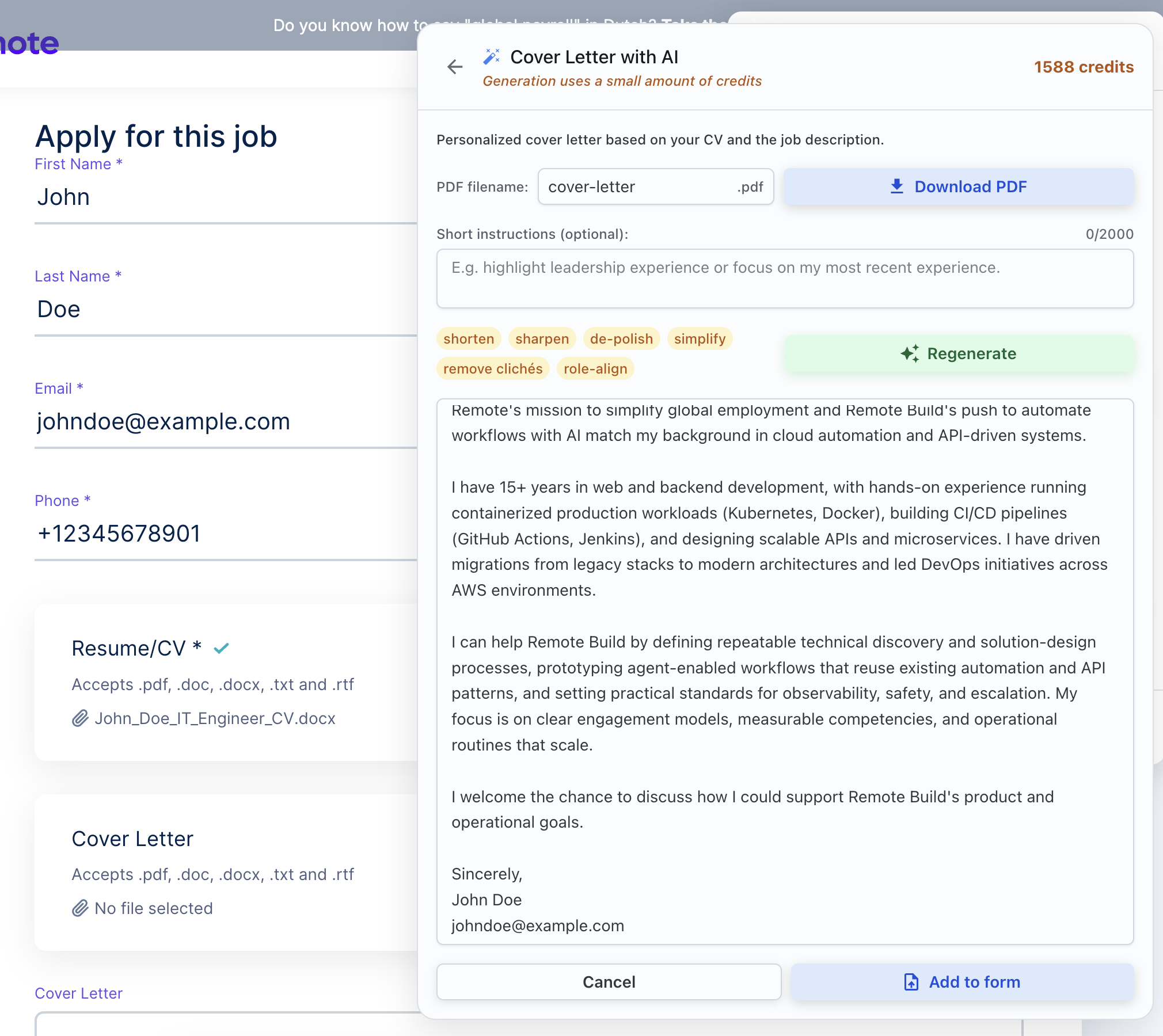
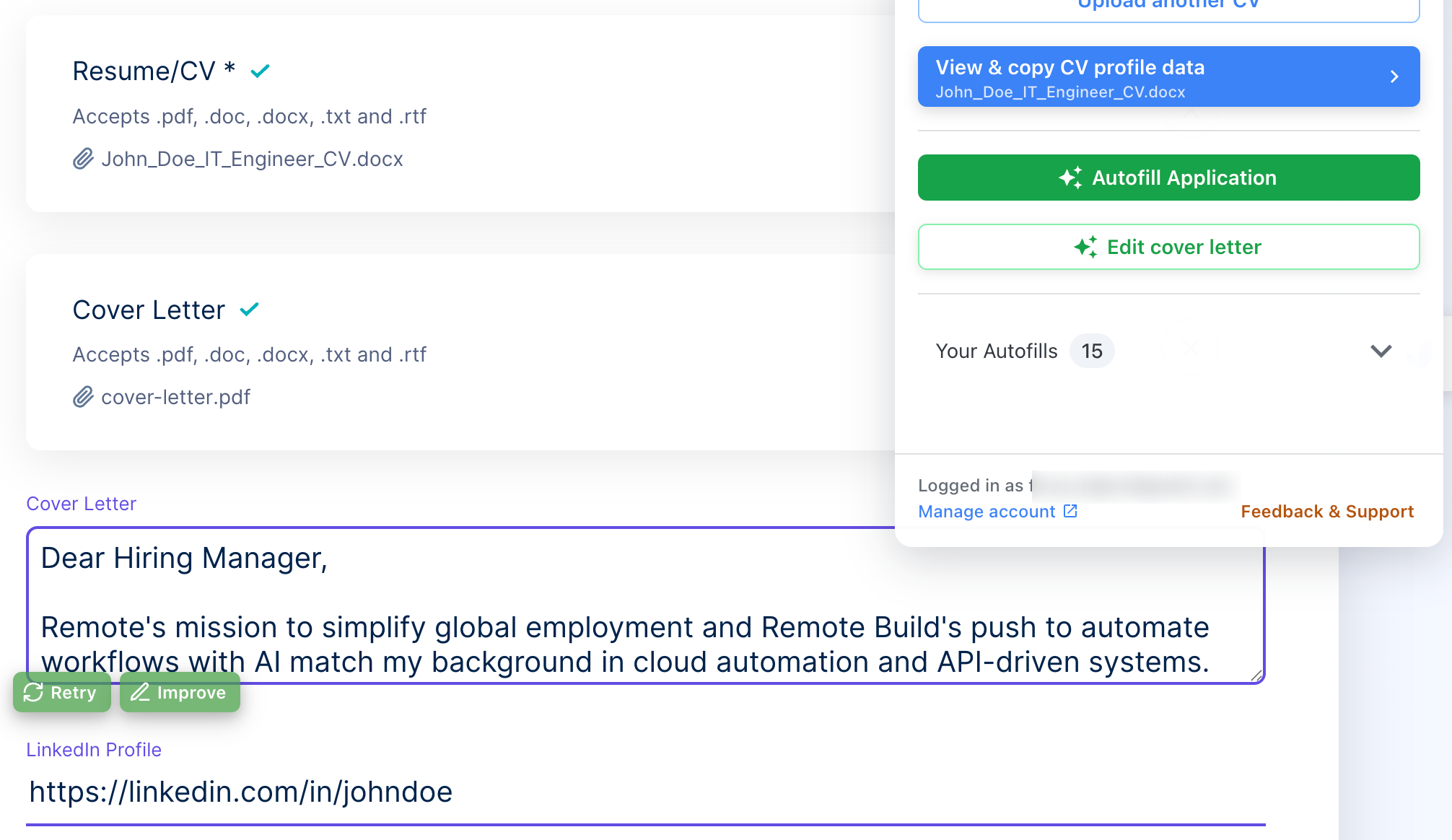
For example, ApplyBtn's job application answer generator uses your selected resume and the job description to draft answers to application questions. The better organized that source material is, the easier it is to produce a useful answer you can review and edit.
The same goes for an AI cover letter based on the job description. A cover letter can only be specific when the resume behind it clearly explains the experience that fits the role.
Tailoring helps, but it takes time
A better resume is only one part of an application. You still face repeated profile fields, screening questions, motivation questions, and cover letters.
That's where autofill helps. And it's not just about dropping the same details into fields faster. A good workflow pairs speed with content built from the resume you chose and the specific job description.
With ApplyBtn, you can keep several resumes for different types of roles and pick the right version for each application. ApplyBtn then uses that resume and the job description to generate tailored form answers and cover letters right on the application page.
Your resume stays in your hands. ApplyBtn doesn't rewrite it for you, and it doesn't submit the application for you. You review what it generates and decide what to keep before you submit.
So ChatGPT helps you build a clearer source document. ApplyBtn then uses that source to make filling out job applications faster — and more relevant.