
AI Job Application Generator
Every answer. Drafted.
Generate tailored answers for job application questions using your CV and the job description.
No credit card required • Free welcome credits
2-minute setup
 🏆 #1 Winner of the Month on MicroLaunch5.0 on Chrome Web Store · 16 ratings
ApplyBtn drafting a tailored answer inside a real application form — generated from your CV and the job description, ready to review.
Long job application questions take time. Every form asks something slightly different: why you want the role, why you are a good fit, what experience you have, what motivates you, or how your background matches the company.
ApplyBtn is an AI job application generator that helps you answer those questions faster with responses tailored to your experience and the role. It uses your selected CV and the job description to generate relevant draft answers directly inside the application form.
You can review, edit, refine, and submit manually. ApplyBtn helps you write the answer, but you stay in control.
★ 5.0 — Chrome Web Store ratingWhat is a job application answer generator?
A job application answer generator is an AI tool that helps you write responses for questions inside online job application forms.
These are the questions that usually take more time than basic autofill fields. Instead of only filling your name, email, phone number, or LinkedIn profile, an answer generator helps with written responses such as:
Use ApplyBtn as an AI answer generator for job applications to create responses based on your CV, the job description, and the question being asked.
- Why are you interested in this role?
- Why are you a good fit for this position?
- Tell us about your relevant experience.
- What makes you interested in our company?
- Describe a project you are proud of.
- What are your salary expectations?
- Are you willing to relocate or work remotely?
- Is there anything else you would like us to know?
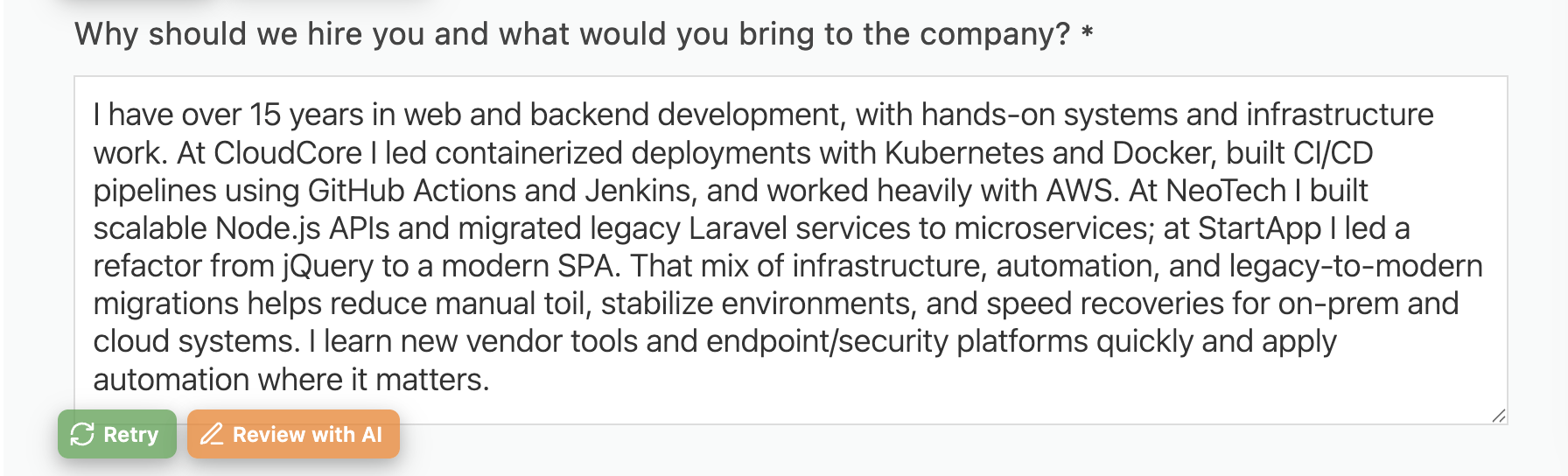
Generate answers from your CV and the job description
Generic AI answers often sound polished but empty.
ApplyBtn is different because it uses your own background as the source. Your CV gives ApplyBtn your experience, skills, projects, education, and career history. The job description gives it the role requirements, responsibilities, and context.
Together, they help ApplyBtn generate answers that are specific to the application.
Your CV
Experience, skills, projects, and career history
Job description
Requirements, responsibilities, and context
Answer to the application question
Specific to the role, ready for you to review
For example, instead of writing a generic answer like:
I am excited about this opportunity because I believe my skills are a good match.
ApplyBtn can create a more useful answer based on your actual experience and the role you are applying for. You still review and edit the final version before submitting.
Why job application questions are hard to answer
Most job seekers do not struggle because they have nothing to say.
They struggle because every application asks for a slightly different version of the same thing.
One company asks why you are interested in the role. Another asks how your background matches the requirements. Another asks for a short motivation statement. Another asks for a cover-letter-style answer inside a form field.
Writing these from scratch every time can be slow and frustrating.
Copying the same answer everywhere is faster, but it often sounds generic.
ApplyBtn helps you create a better middle ground: faster answers that still match your CV and the role.
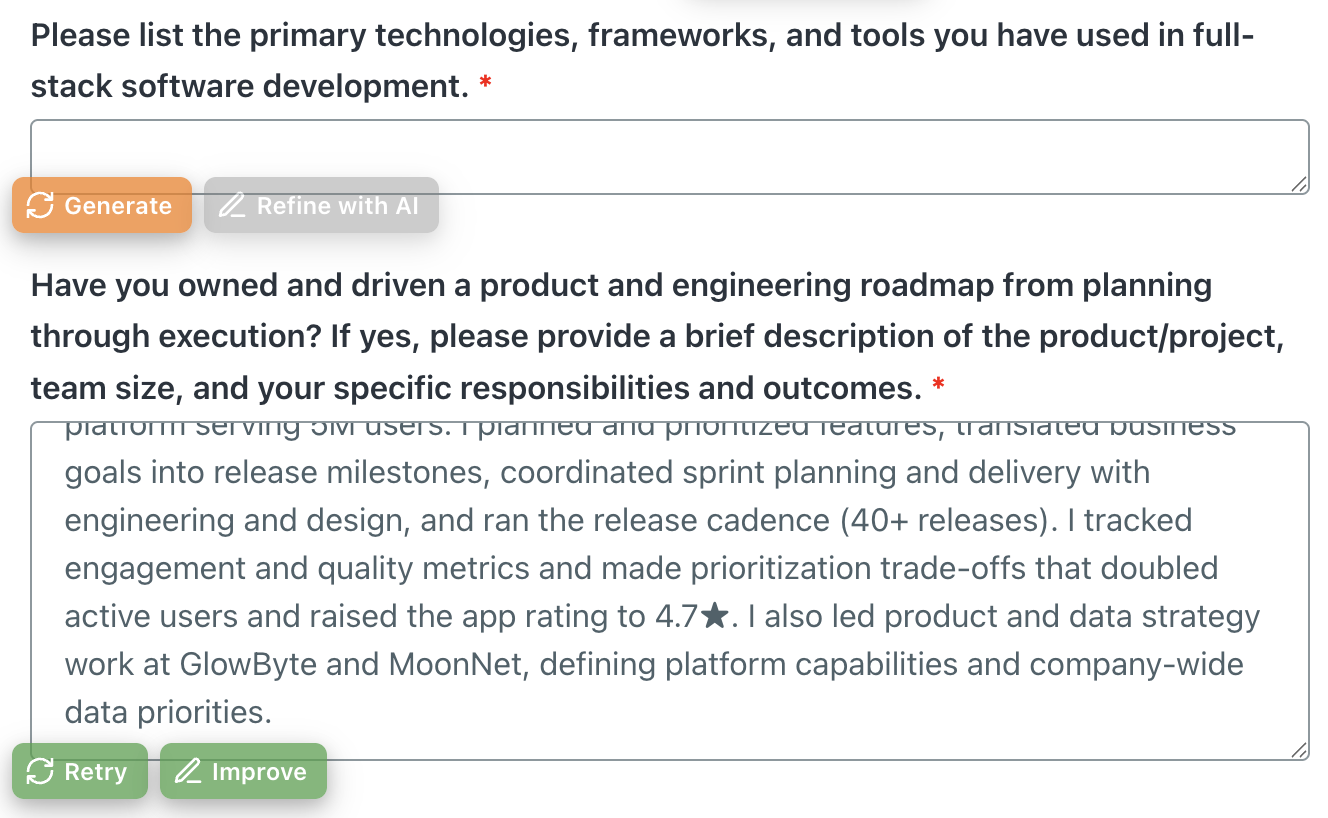
How the Job Application Generator Works
Upload or select your CV
Your CV is used as the source for your background, experience, skills, and achievements. You can upload more than one CV and choose the most relevant one for each role.
Open a job application form
Go to the job application page you want to complete. ApplyBtn works directly inside the browser, so you do not need to copy the form into a separate tool.
Let ApplyBtn read the job context
ApplyBtn uses the job description and the application form context to understand what kind of answer is needed.
Generate a tailored answer
ApplyBtn creates a draft answer based on your CV and the job description. The answer is written for the specific field, not as a generic one-size-fits-all response.
Review, refine, and submit manually
You can edit the answer yourself or refine it with AI before sending. ApplyBtn does not submit applications automatically.
AI Answers for Job Application Questions
ApplyBtn can help generate answers for common job application questions, including:
Why are you interested in this role?
It can connect the role requirements with your experience, skills, and career direction.
Why are you a good fit?
It can highlight the most relevant parts of your CV for that specific job description.
Tell us about your relevant experience.
It can turn your CV details into a concise answer focused on the role.
What makes you interested in this company?
It can draft a role-focused answer without sounding like a generic company compliment.
Is there anything else you would like us to know?
It can create a short closing answer based on your strengths and fit for the role.
Better than copying the same answer everywhere
Reusing the same answer may save time, but it can make applications feel less relevant.
Recruiters and hiring teams often ask written questions because they want to understand why your background fits this role, not just any role.
ApplyBtn helps you avoid starting from zero while still adapting each answer to the job description.
This is useful when you apply to many roles but still want your applications to feel considered and specific.
Not just a generic AI writing tool
You can use a general AI chatbot to write job application answers, but that usually means copying the job description, pasting your CV, explaining the question, copying the output, editing it, and then pasting it back into the form.
ApplyBtn removes much of that manual work.
It works directly on the application page, where the answer is needed.
That means you can generate, review, refine, and insert answers without leaving the form.
Answer generator + autofill in one extension
ApplyBtn is not only a job application answer generator.
It also helps autofill application forms with AI. That means it can assist with basic fields, longer written answers, and cover letters in the same workflow.
Instead of using one tool for autofill, another tool for cover letters, and another tool for written answers, ApplyBtn brings the process into one Chrome extension.
Use it for cover-letter-style questions
Some job applications do not ask for a separate cover letter. Instead, they include questions like:
- Why do you want to work here?
- What makes you a strong candidate?
- Tell us why you are interested in this position.
- Add a short message to the hiring team.
These fields often work like mini cover letters.
ApplyBtn can help generate short, tailored job application answers for these questions based on your CV and the job description.
You control the final answer
ApplyBtn does not submit applications for you.
It does not decide what to send.
It does not remove your review from the process.
You can:
- edit every answer
- regenerate answers
- refine the tone
- shorten or expand the response
- remove anything you do not want to include
- submit manually only when you are ready
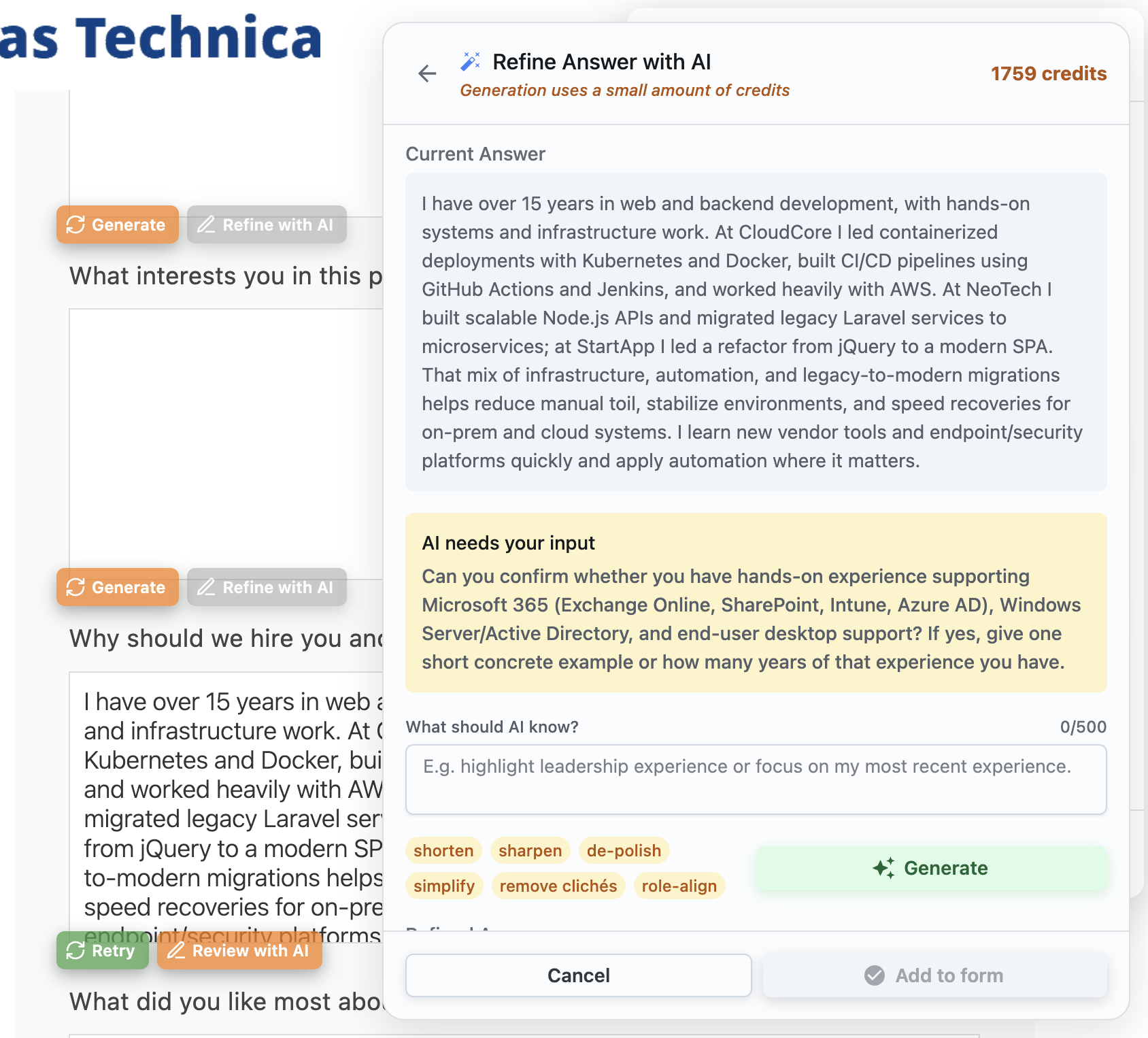
Who this is for
ApplyBtn is useful if you:
- apply to many jobs online
- spend too much time answering repeated application questions
- want answers tailored to each role
- want to avoid generic AI responses
- use more than one CV
- apply across company career pages, job boards, and ATS platforms
- want AI help without automatic submission
- prefer to review everything before sending
Job application answer generator for multilingual applications
Some job applications are not in the same language as your CV.
ApplyBtn supports multiple languages and can help generate answers based on the language of the application form. This is useful when applying across countries, international companies, local job boards, or multilingual hiring processes.
Supported languages include English, Spanish, Dutch, German, French, Italian, Swedish, Norwegian, Danish, Portuguese, Turkish, and Polish.
Frequently asked questions
What is a job application answer generator?
A job application answer generator is an AI tool that helps write responses for questions inside online job application forms, such as why you are interested in a role or why you are a good fit.
Can ApplyBtn answer job application questions from my CV?
Yes. ApplyBtn works as an AI answer generator for job applications: it uses your selected CV and the job description to generate tailored draft answers for the questions each form asks.
Does ApplyBtn write generic answers?
ApplyBtn is designed to use your CV and the job description as context, so answers can be more relevant than generic templates. You should still review and edit the final answer before submitting.
Can ApplyBtn help with "Why do you want this job?" questions?
Yes. ApplyBtn can generate a draft answer based on your background and the specific role you are applying for.
Can ApplyBtn help with "Why are you a good fit?" questions?
Yes. ApplyBtn can use your CV and the job description to highlight relevant experience, skills, and background for that specific application.
Does ApplyBtn submit answers automatically?
No. ApplyBtn does not submit applications automatically. You review, edit, refine, and manually submit your application.
Can I edit the generated answers?
Yes. You can edit answers yourself or refine them with AI before submitting.
Is ApplyBtn only for written answers?
No. ApplyBtn can help with written job application answers, cover letters, and AI autofill for online job application forms.
Does ApplyBtn work on every application form?
ApplyBtn works on many standard online job application forms. Some highly customized, multi-step, or extended registration systems may limit autofill functionality.
Will recruiters know the answer was AI-generated?
They can tell when an answer reads like raw AI — polished but generic, in nobody's voice. ApplyBtn drafts from your real CV and the specific question so the substance is yours, but the step that matters is the one you do: review it, edit it, and make it sound like you before you submit. It's a tailored first draft to react to, not text to paste unread — and you submit every answer yourself, nothing is auto-sent.
Is my CV and data safe?
Your uploaded CV is used only to generate your own answers and cover letters — ApplyBtn does not sell your personal data, and your data is not used to train AI models. Connections are encrypted, and your data is removed when you delete your account.
Generate Answers for Job Applications Faster
Stop rewriting the same job application answers from scratch.
Use ApplyBtn to generate tailored answers from your CV and the job description, review them directly inside the application form, and submit only when you are ready.