
JobWizard Alternative: ApplyBtn vs JobWizard
We tested ApplyBtn as a JobWizard alternative on real job application forms to see what happens beyond the marketing claims.
JobWizard and ApplyBtn both help job seekers autofill online job applications with AI. But the real question is not only what platforms a tool says it supports.
The real question is: will it detect the application form in front of you? Will it fill the right fields? Will it handle company career pages, regional ATSs, custom forms, multilingual applications, and multi-step flows?
To compare the tools, we tested ApplyBtn and JobWizard on real job application forms across different platforms.
No credit card required • Free welcome credits • 2-minute setup
 🏆 #1 Winner of the Month on MicroLaunch5.0 on Chrome Web Store · 16 ratings
ApplyBtn vs JobWizard: Quick Summary
In our tests, JobWizard worked on some major supported ATS pages, including Greenhouse and Lever. But on several company career pages, regional ATSs, custom forms, German-language forms, and the Workday experience step, JobWizard showed "Not supported," "not designed for this page," or did not continue filling the multi-step flow.
ApplyBtn detected and autofilled more of the real application forms we tested. This reflects the main product difference: ApplyBtn is designed to attempt autofill across many real-world job forms, not only the most predictable supported platforms.
The crucial difference: known forms vs real-form detection
ApplyBtn is built for real-world job application forms, not only predefined ATS workflows. The key difference is the approach.
Many job autofill extensions are strongest on supported platforms and known ATS patterns. That can work well on major systems such as Greenhouse, Lever, or familiar Workday flows.
But real job searches are messier than that. Job seekers also apply through company career pages, regional ATSs, custom forms, local hiring systems, multilingual pages, and multi-step applications.
ApplyBtn is built around a broader real-form detection approach. Instead of only relying on a fixed list of supported platforms, ApplyBtn tries to understand the application form currently open in the browser and autofill the fields it can detect.
That is why, in our manual tests, ApplyBtn worked on several forms where JobWizard showed "Not supported" or "not designed for this page."
ApplyBtn is not perfect, and some fields still need manual input. But the product direction is different: ApplyBtn tries to tackle the real application forms users actually encounter, not only the most predictable ones.
Real form test results
These results are based on manual tests on real application forms in June 2026. Product behavior can change over time as both tools update their extensions.
Greenhouse
Worked.
Worked.
Lever
Worked.
Worked.
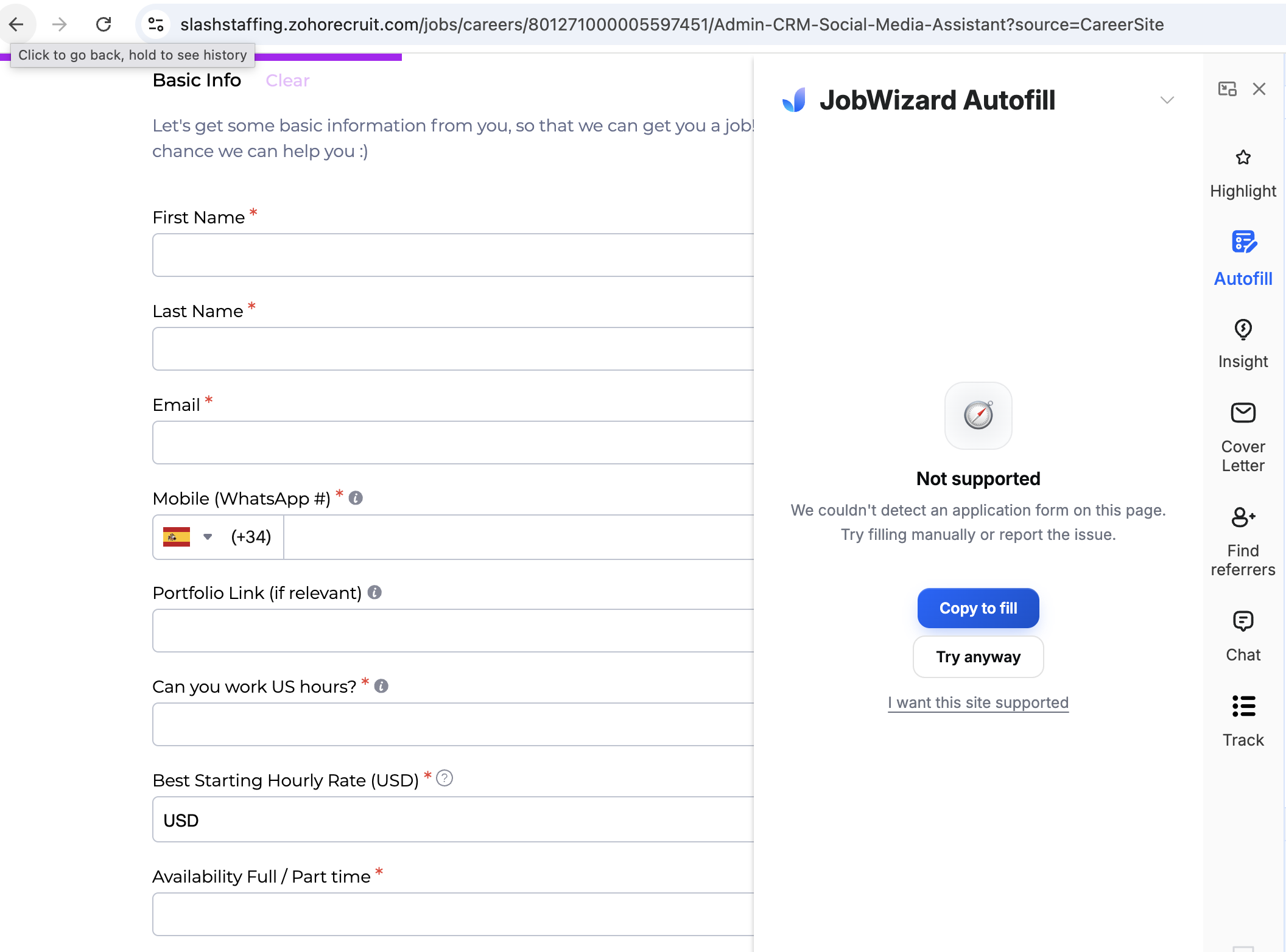
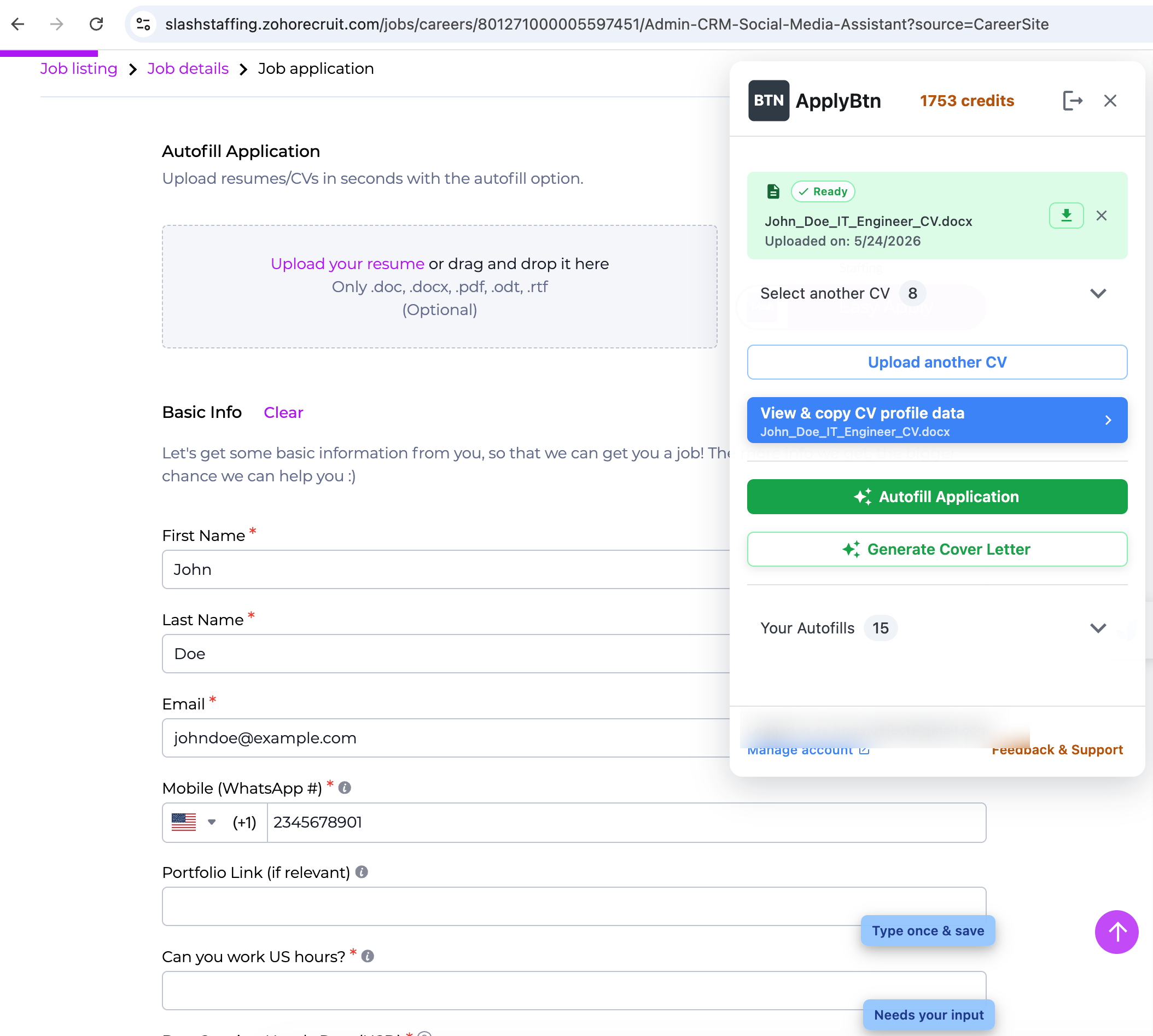
Zoho Recruit
Not supported. JobWizard could not detect the application form.
Detected the form and autofilled fields.
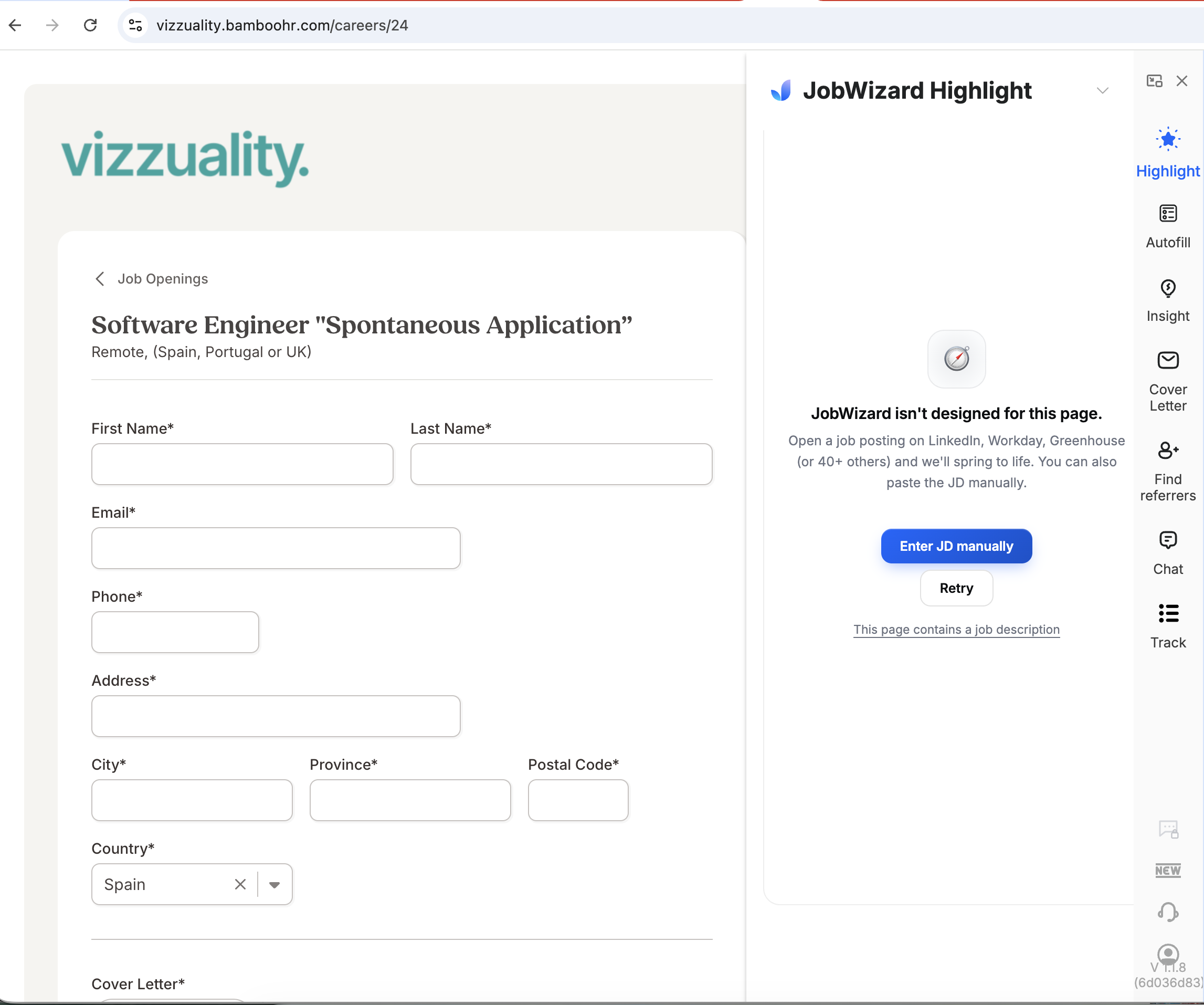
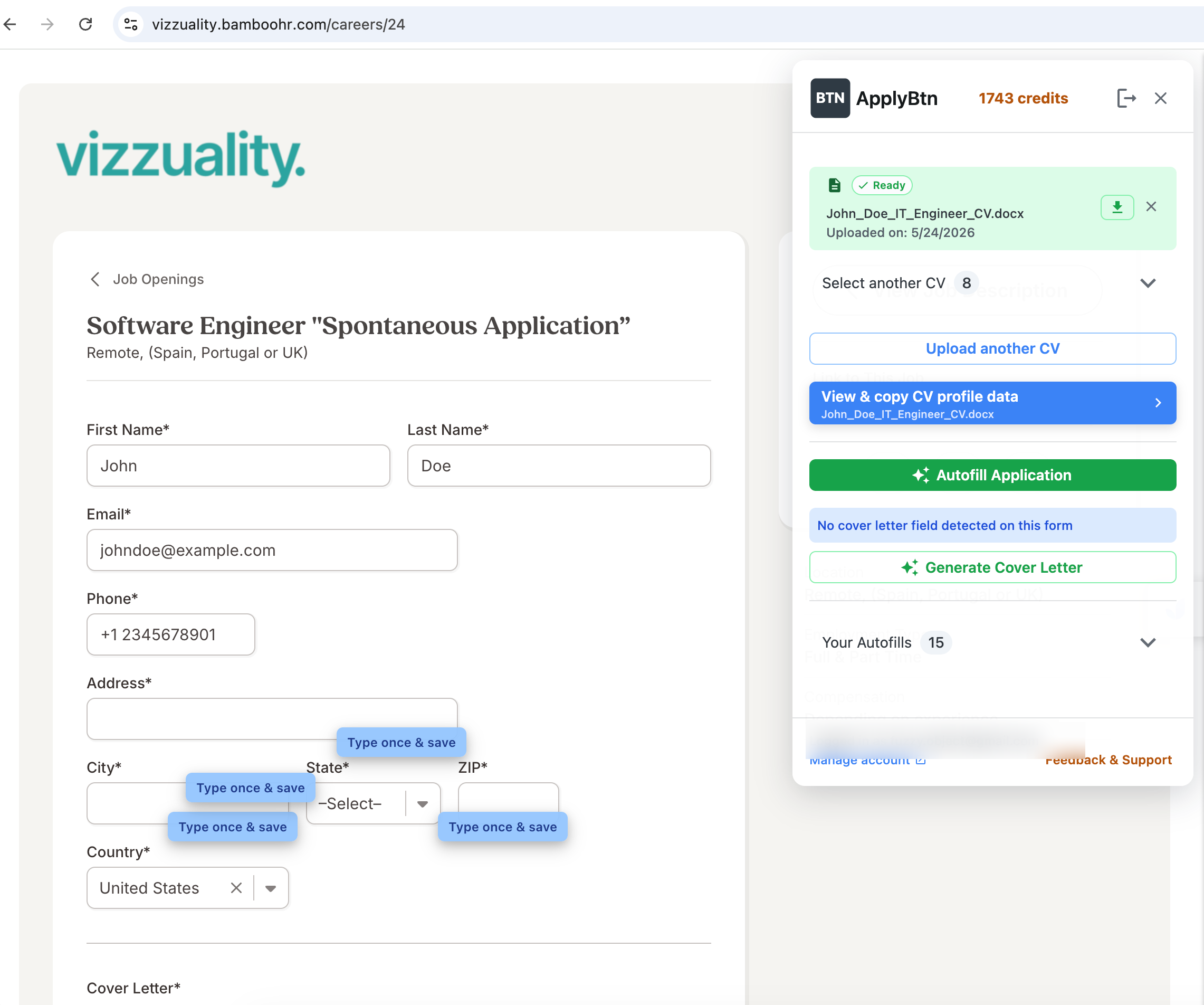
BambooHR
JobWizard said it was not designed for the page.
Detected the form and autofilled fields.
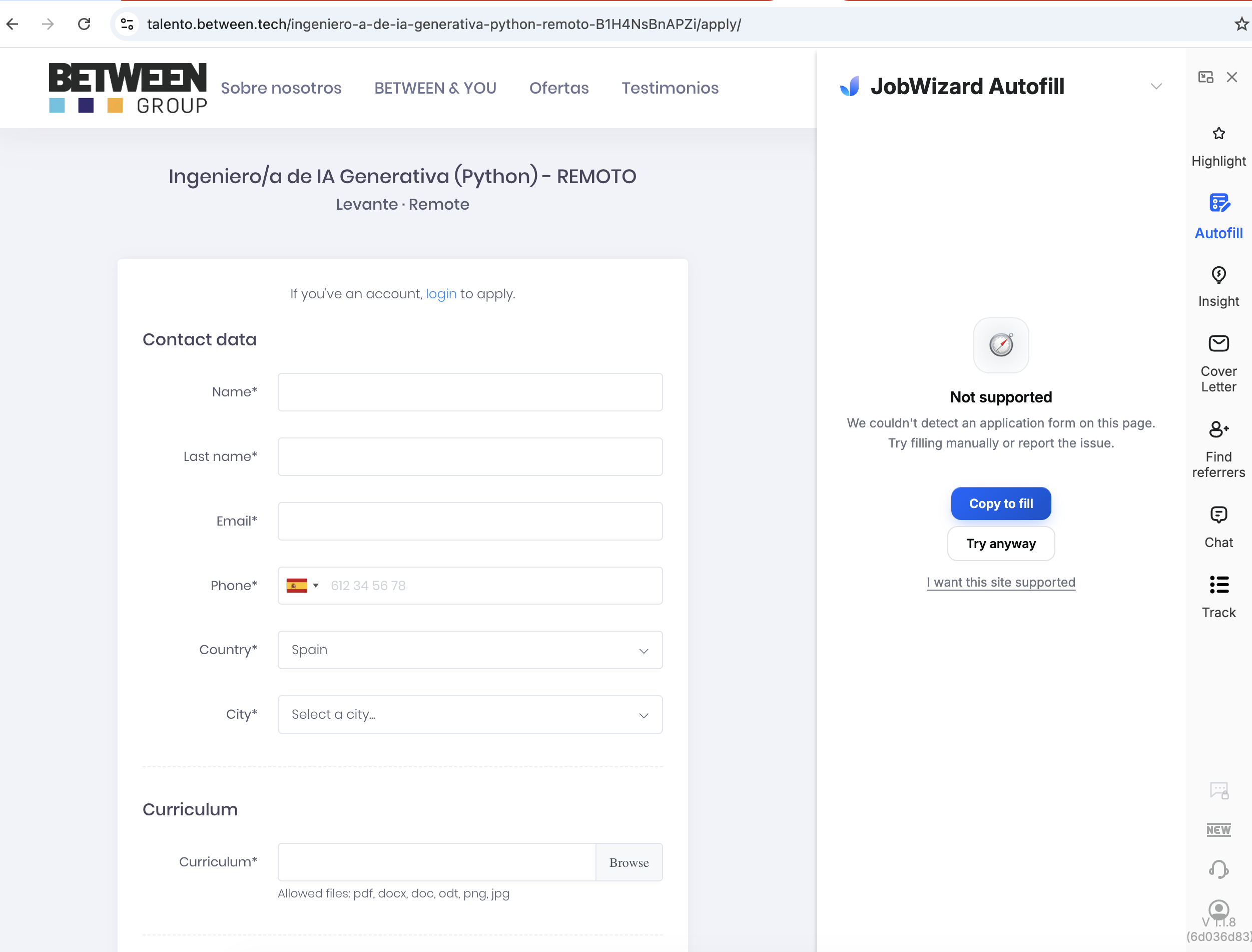
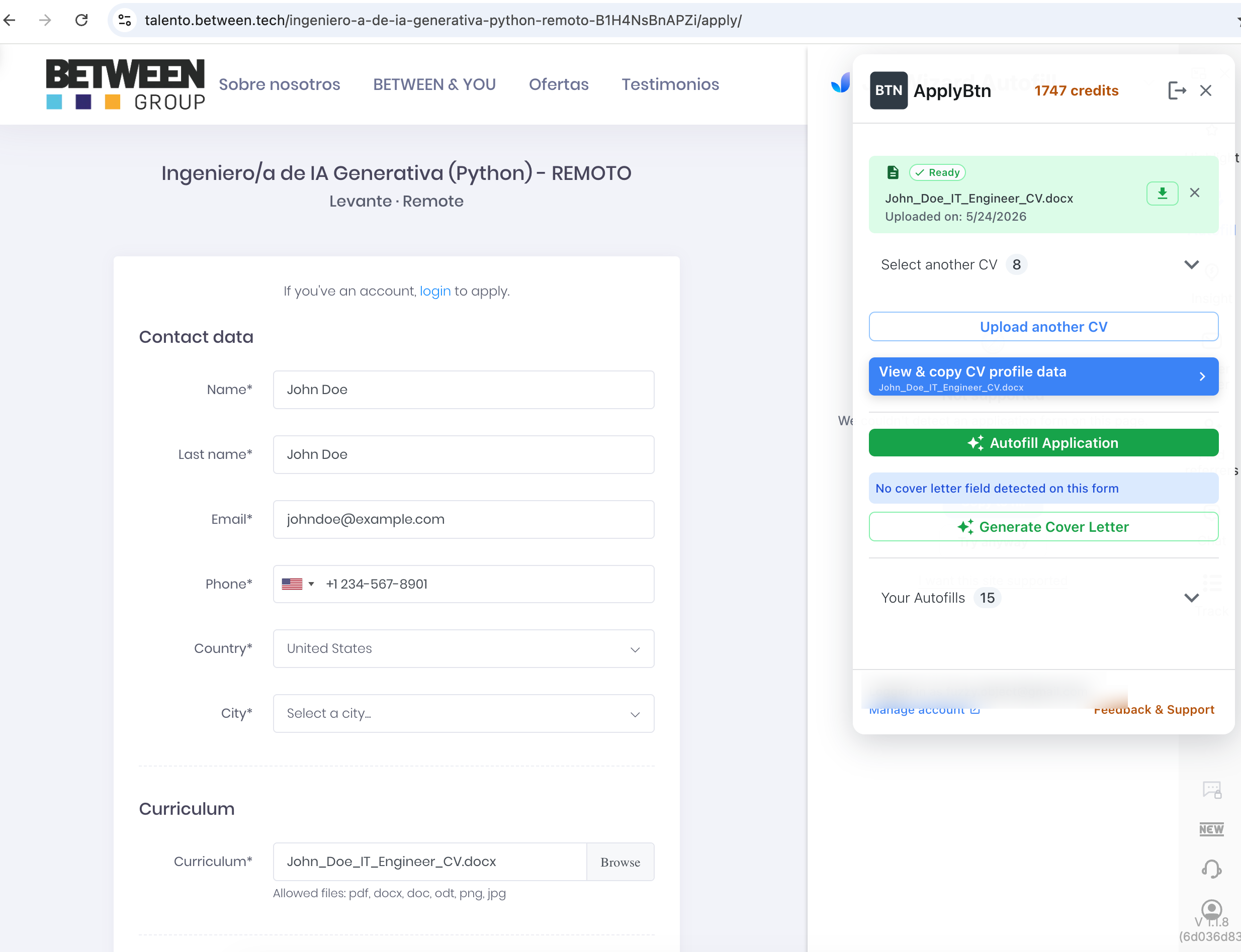
Between Group custom form
Not supported.
Detected the form, autofilled fields, and uploaded the CV.
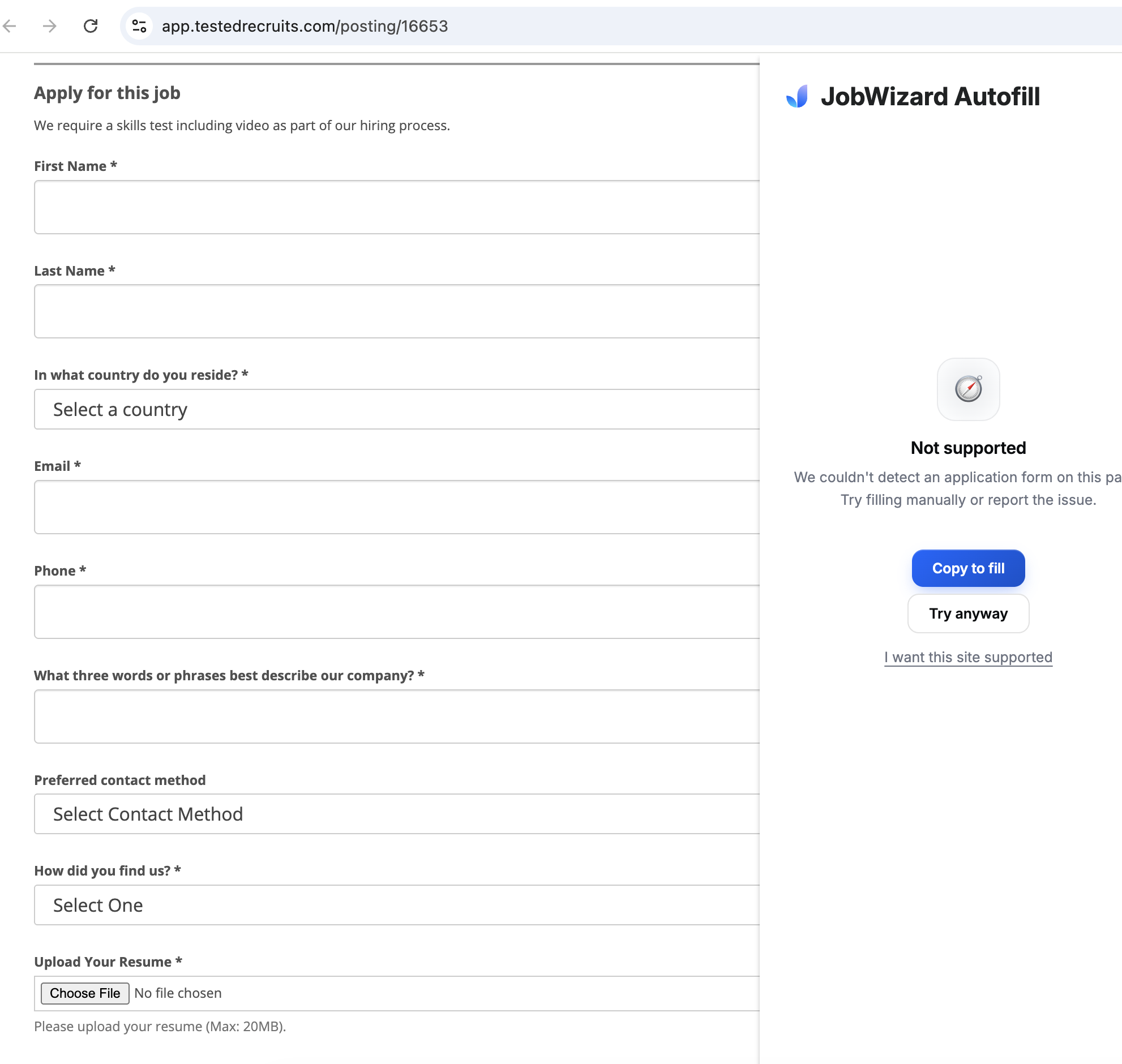
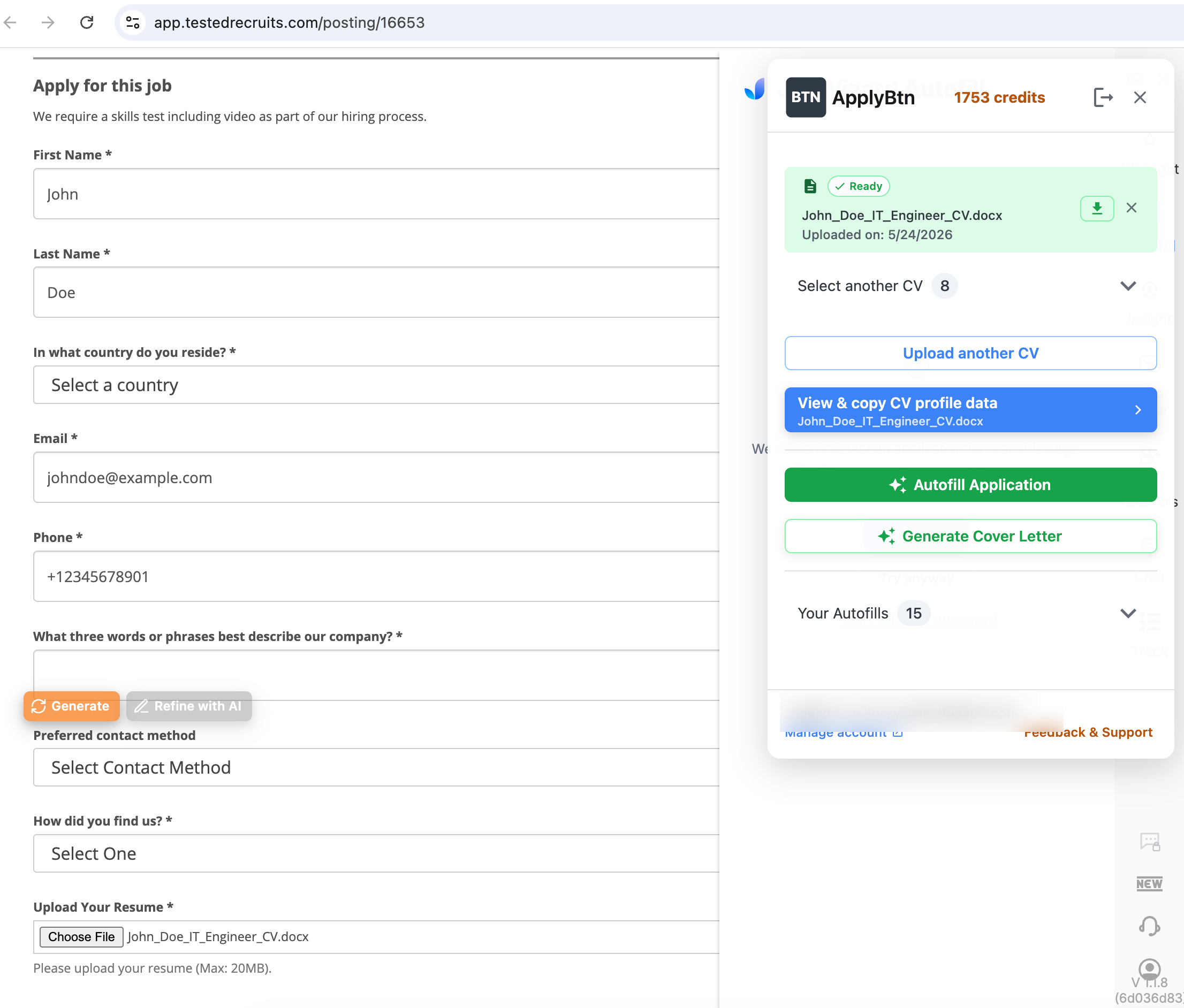
TestedRecruits
Not supported.
Detected the form, autofilled basic fields, uploaded the CV, and showed generate/refine controls for written answers.
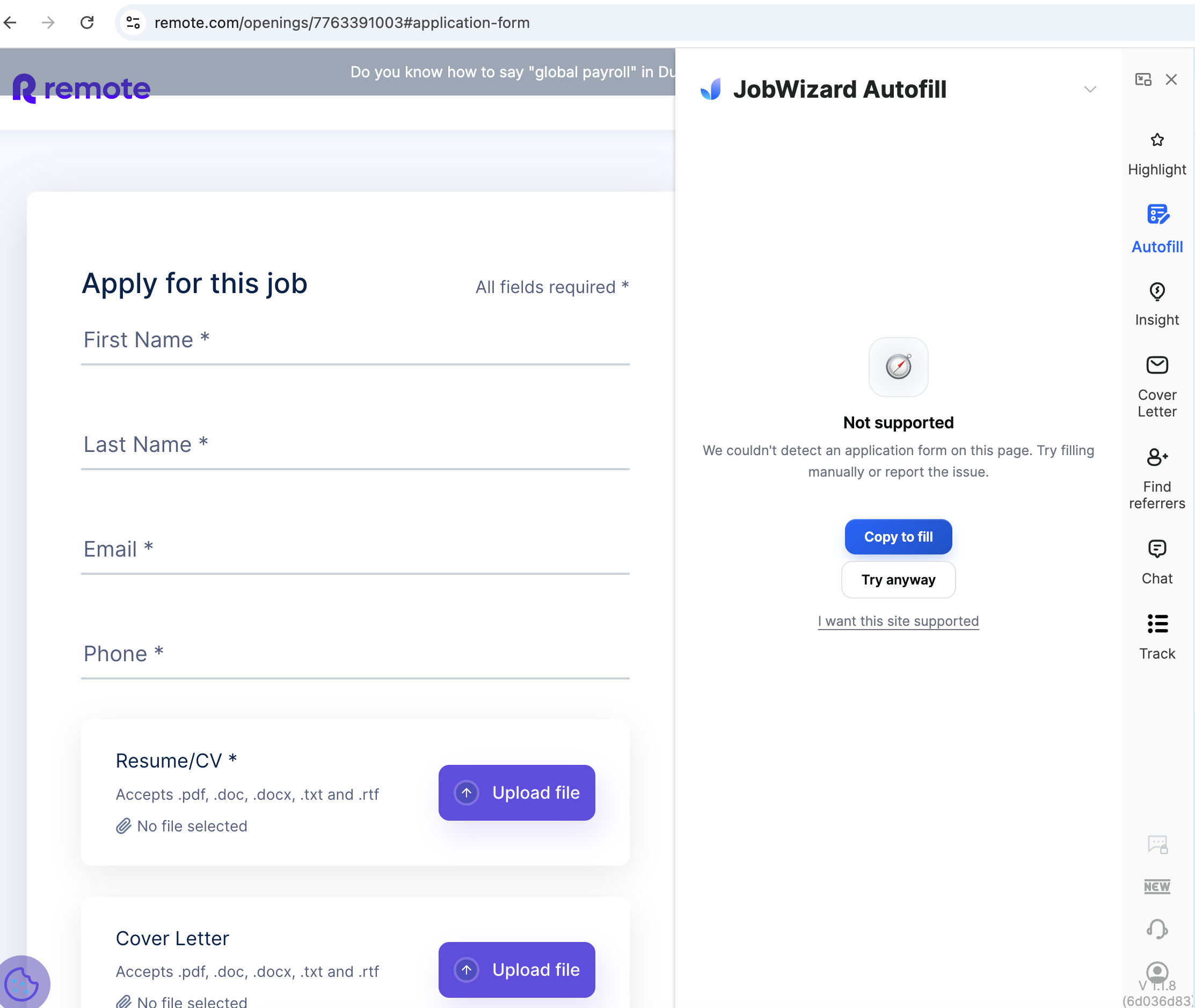
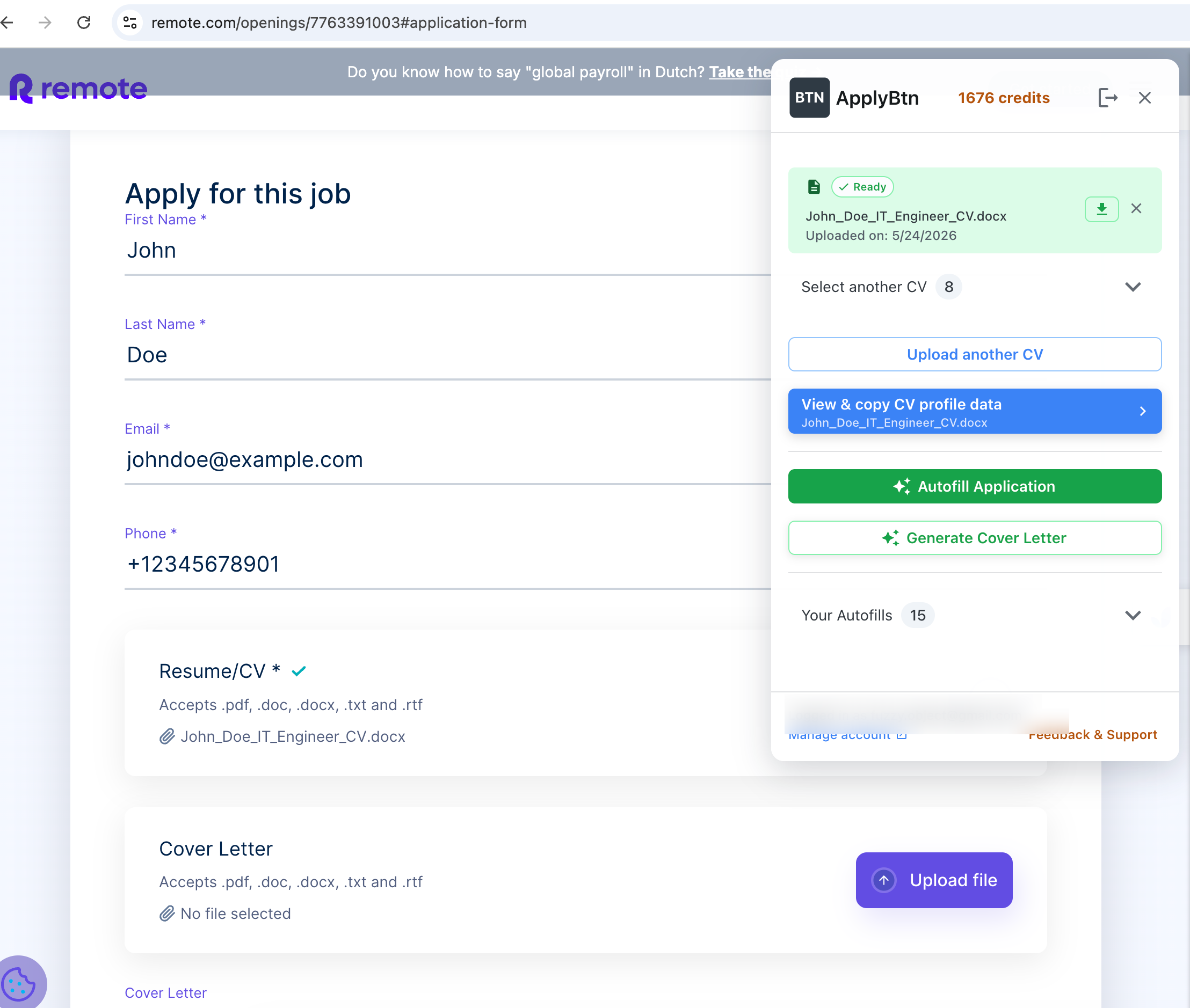
Remote.com custom application form
Not supported. JobWizard could not detect the application form.
Detected the form, autofilled basic fields, and attached the CV.
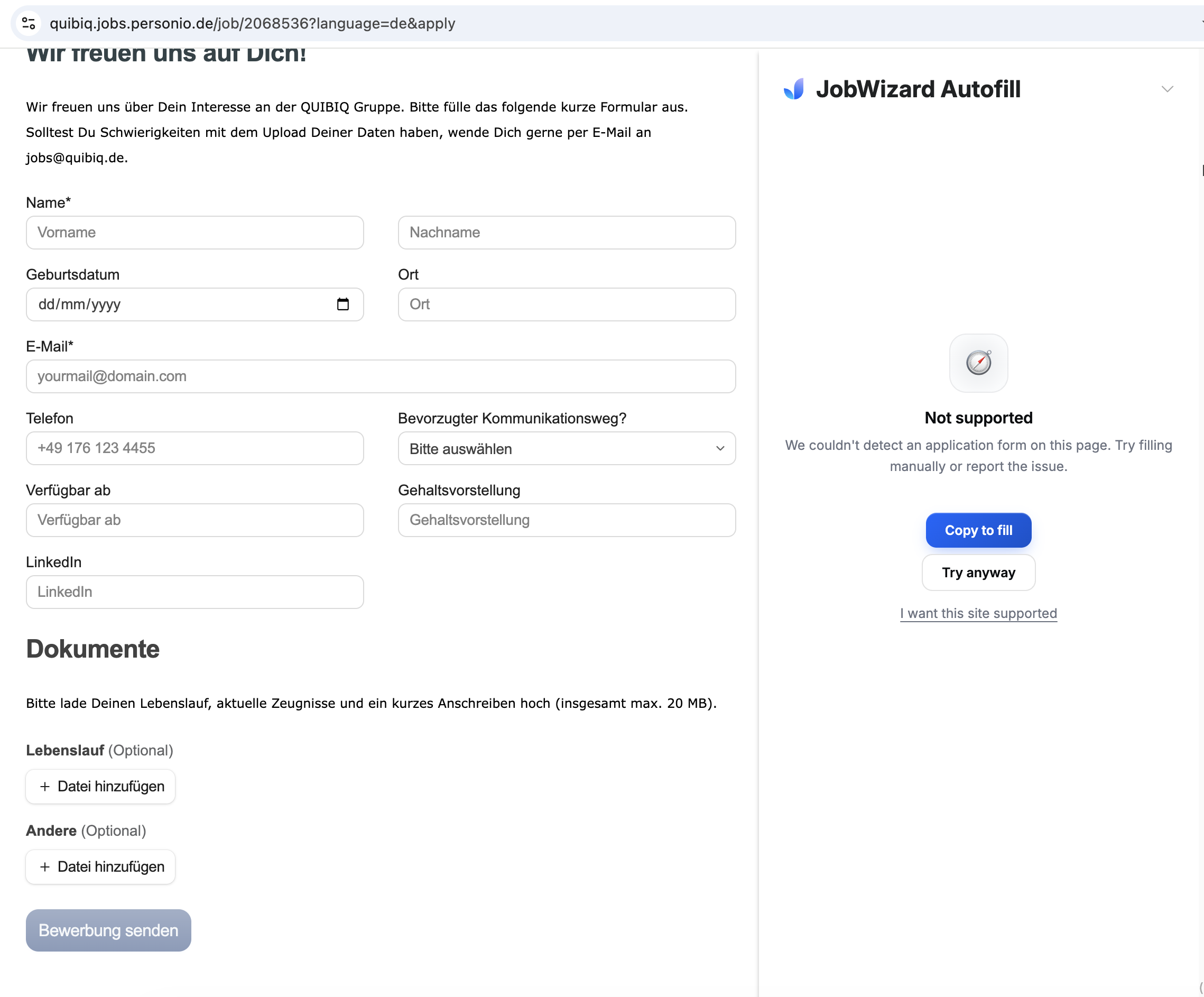
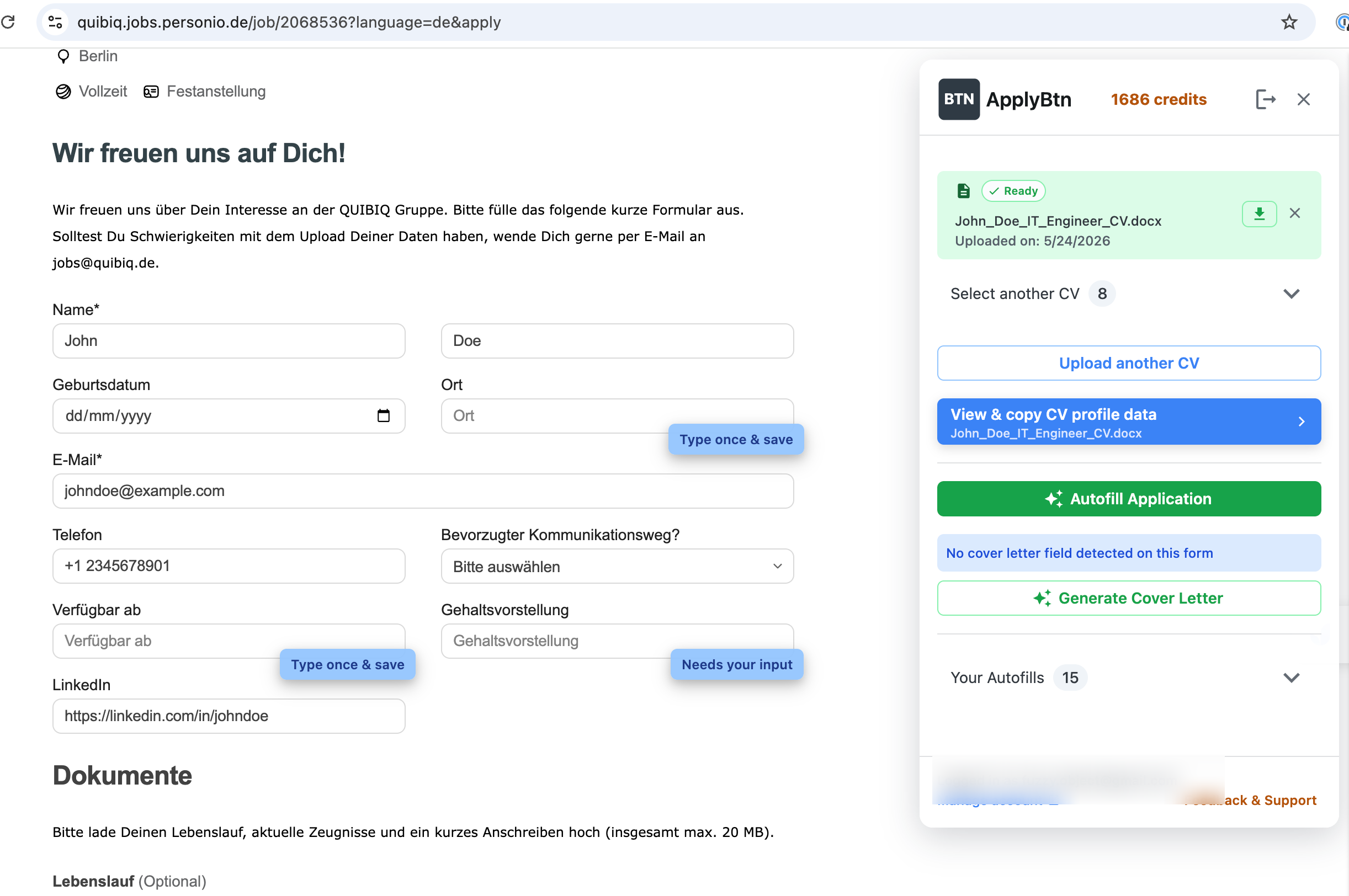
Personio German application form
Not supported.
Detected the form and autofilled several fields, including name, email, phone, and LinkedIn.
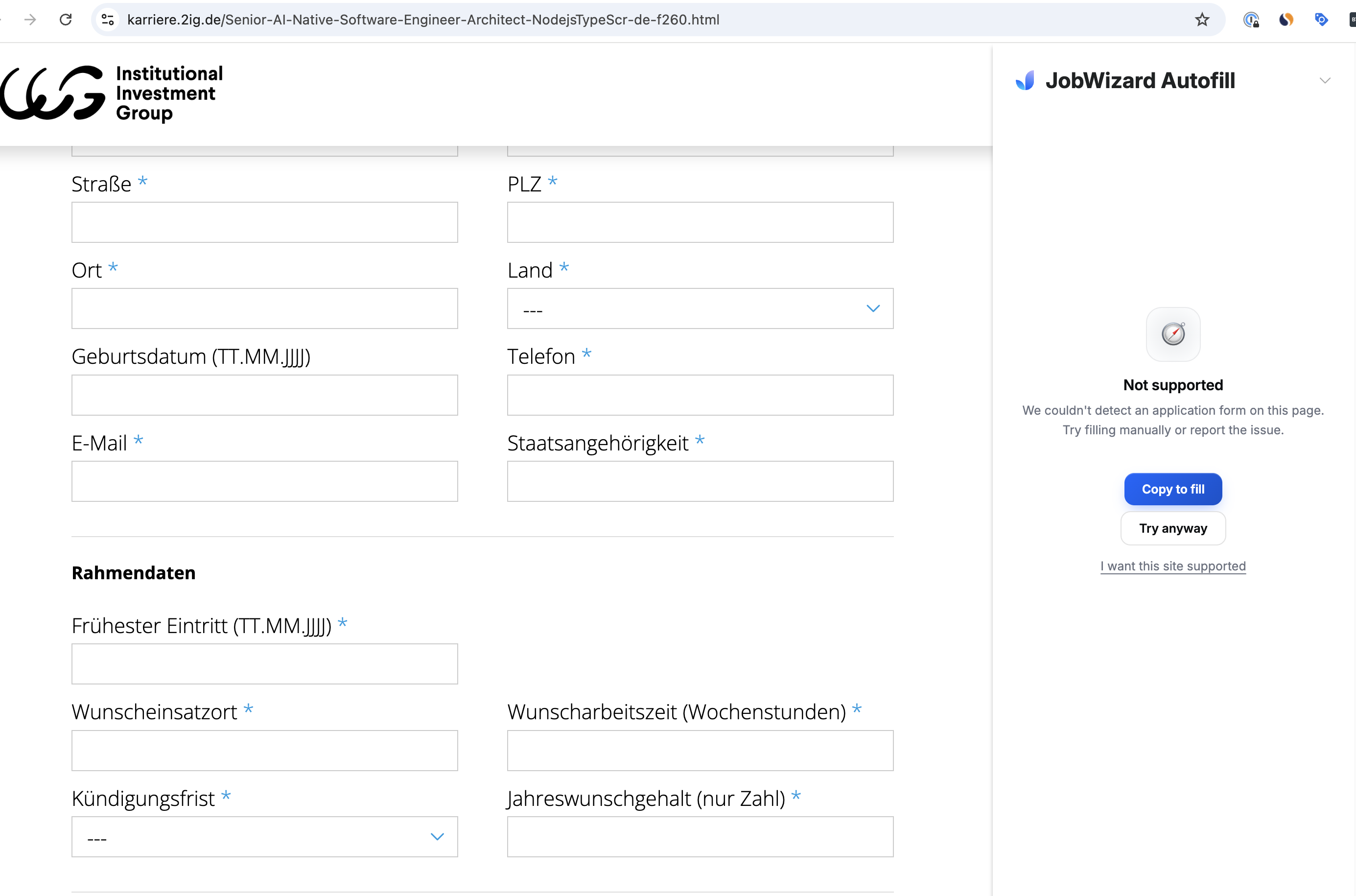
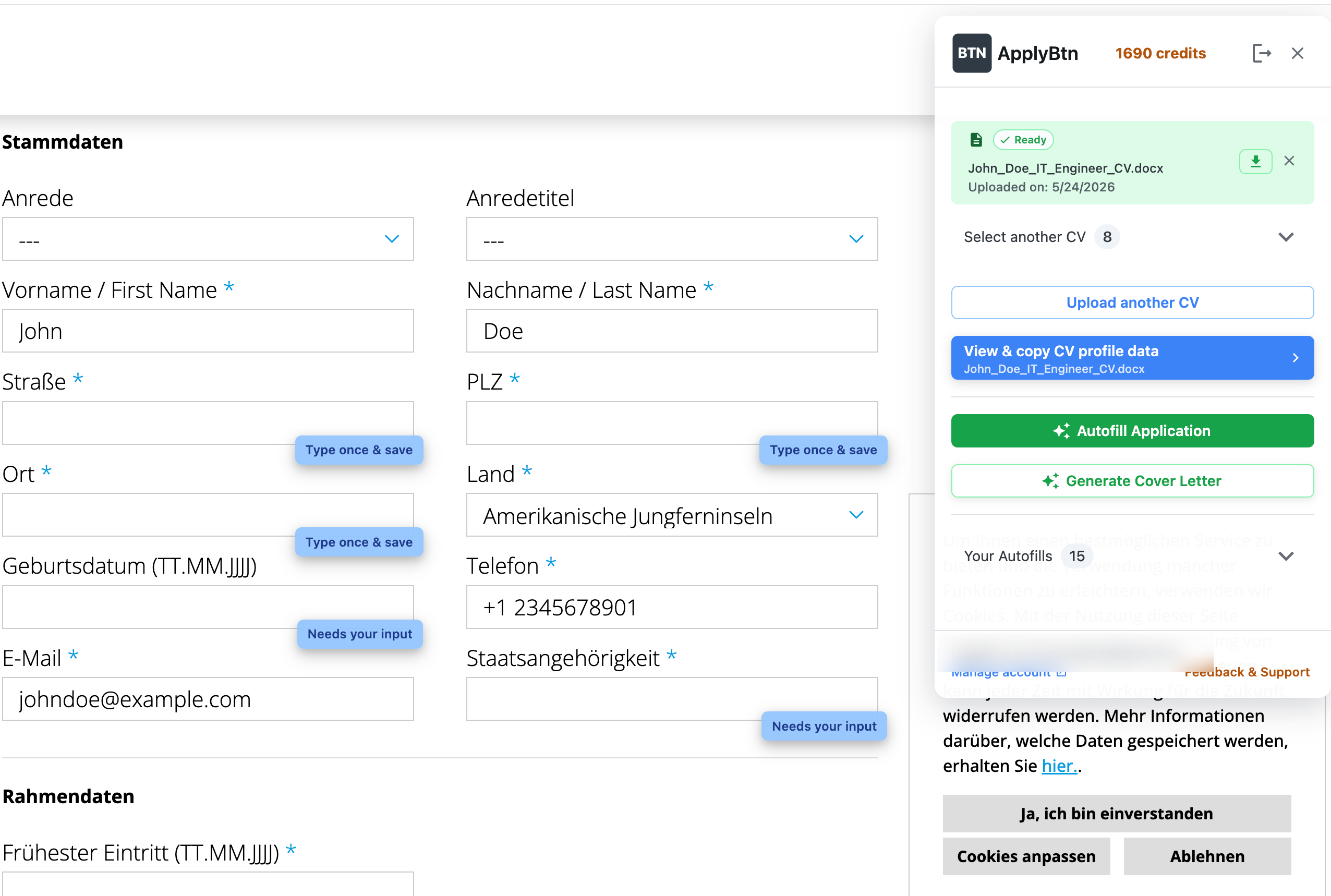
2IG German rexx-style form
Not supported.
Detected the form and autofilled several basic fields. Some fields still needed user input.
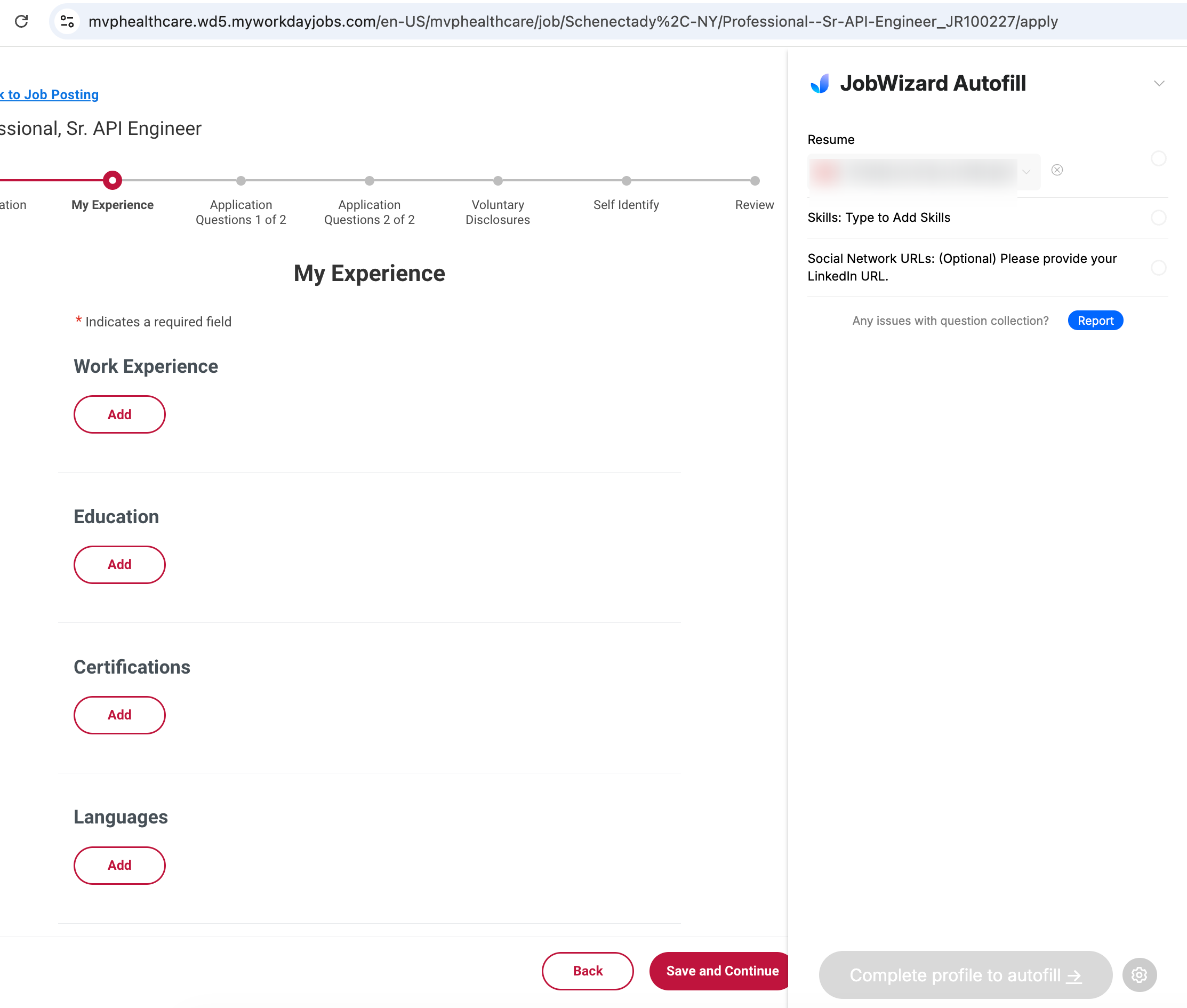
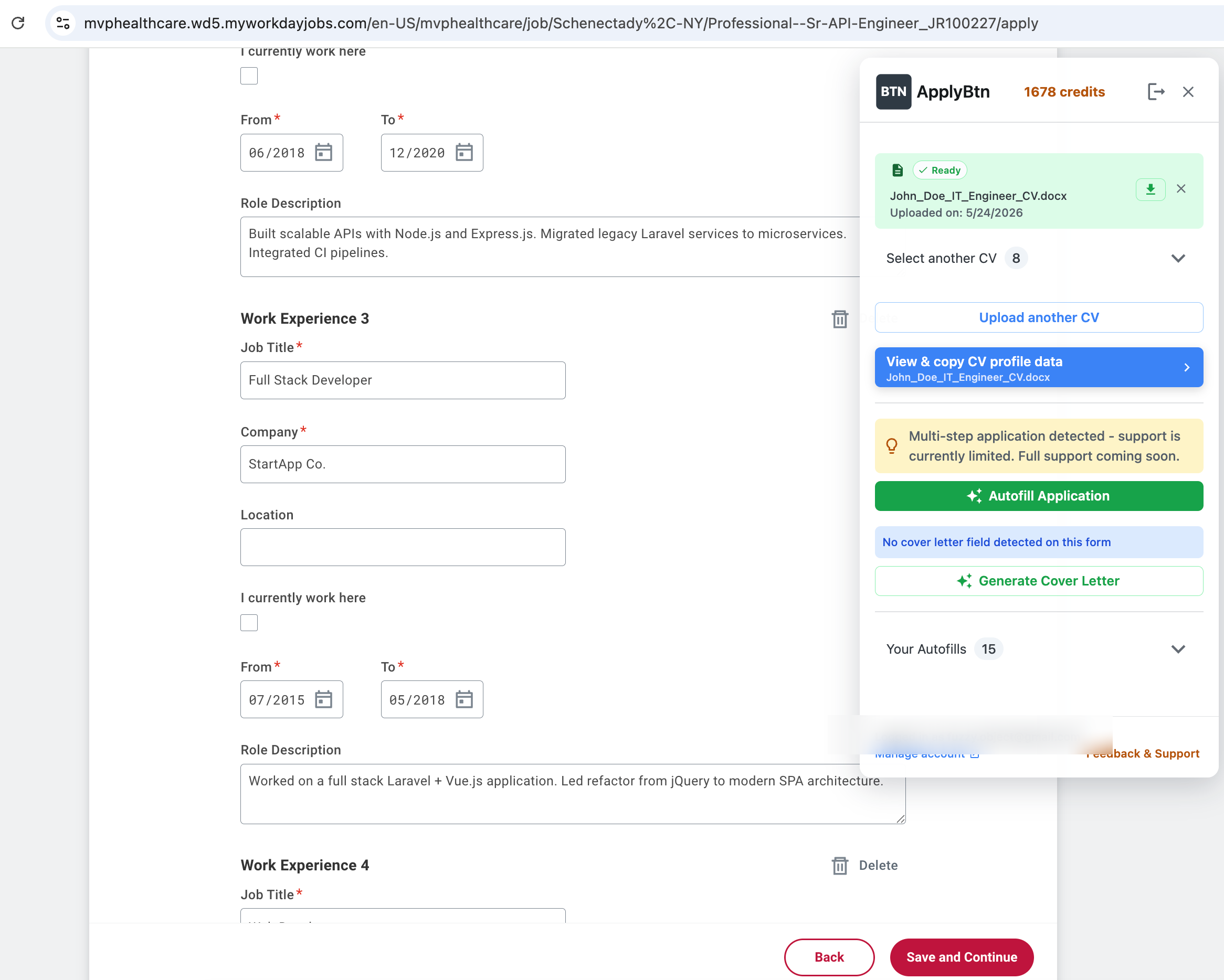
Workday multi-step application
First page worked, but the "My Experience" step was ignored.
Detected the multi-step application and filled experience fields, with a limited support warning.
Examples from the test
Here are examples from the manual test. The screenshots show the same type of application page tested with both tools.
JobWizard Review: What Our Real-Form Test Shows
This test does not mean JobWizard never works.
JobWizard did work on Greenhouse and Lever, and it handled part of the Workday flow. These are common application systems that many autofill tools prioritize.
The difference appeared when we tested less predictable real-world forms.
ApplyBtn handled more forms outside the most obvious ATS flows. It detected forms where JobWizard showed unsupported messages, including regional systems, company career pages, German-language forms, and custom application pages.
The main difference
JobWizard appears to work best on supported platforms and known page patterns.
ApplyBtn is designed to detect and autofill many real application forms directly on the page, even when the form is not one of the most common ATS layouts.
That difference matters if your job search includes more than Greenhouse, Lever, and standard Workday pages.
Why broader form detection matters
Job seekers rarely apply through one system only.
In a normal job search, you may apply through:
If your autofill tool only works on the most predictable application pages, you still end up filling many forms manually.
ApplyBtn is built for this broader reality: open the form, run autofill, review the result, fix anything that needs your input, and submit manually when ready.
- Greenhouse
- Lever
- Workday
- Personio
- BambooHR
- Zoho Recruit
- JOIN
- company career pages
- local recruitment systems
- custom application forms
- regional hiring platforms
- multilingual forms
Workday test: why the second step matters
Workday applications often have multiple steps. Filling the first page is useful, but it is not enough.
In our Workday test, JobWizard handled the first page but ignored the "My Experience" step.
ApplyBtn detected the multi-step flow and filled experience entries, including job titles, companies, dates, and role descriptions. ApplyBtn also showed a clear warning that multi-step support is currently limited.
That is important because Workday often asks users to rebuild their resume manually inside the application. The experience section can be one of the most time-consuming parts of the process.
German form tests
We also tested German-language application forms.
On a Personio German form, JobWizard showed "Not supported." ApplyBtn detected the form and filled several fields, including first name, last name, email, phone, and LinkedIn.
On a German rexx-style application form, JobWizard also showed "Not supported." ApplyBtn filled several basic fields and marked some fields as needing user input.
This is important for international job seekers because job application forms are often local, multilingual, and not always built on the largest global ATS platforms.
ApplyBtn is not perfect either
ApplyBtn does not claim that every field on every form will be filled automatically.
Some fields still need user input, especially fields that depend on personal choice, such as:
- salary expectations
- availability
- location preferences
- citizenship
- consent checkboxes
- custom dropdowns
- date formats
- form-specific required fields
ApplyBtn tries to make this visible by marking fields that need manual input instead of pretending the whole application is complete.
Not auto-apply. You stay in control.
ApplyBtn is not an auto-apply bot.
It does not submit applications automatically. It does not apply to jobs on your behalf. It does not remove your review from the process.
The workflow is:
- Open a job application form.
- Choose your CV.
- Run ApplyBtn.
- Review the filled fields.
- Edit or refine answers.
- Submit manually only when you are ready.
This gives you speed without losing control.
Which tool should you choose?
Choose JobWizard if most of your applications are on major supported ATS platforms and you want a broader job search assistant.
Among JobWizard alternatives, choose ApplyBtn if you want an AI autofill tool designed for real job application pages beyond the most predictable ATS flows.
ApplyBtn may be a better fit if you apply through:
- company career pages
- custom forms
- regional recruitment platforms
- multilingual job applications
- non-standard application pages
- Workday flows with experience sections
- forms where standard autofill tools often fail
Summary
Both tools can help with job applications.
But in our real-form tests, ApplyBtn detected and autofilled more application forms than JobWizard.
JobWizard worked on some major ATS pages like Greenhouse and Lever. ApplyBtn worked there too, and also handled several forms where JobWizard showed "Not supported" or "not designed for this page."
If you want AI job application autofill that works directly on many real-world application forms, ApplyBtn is built for that workflow.
Frequently asked questions
Is ApplyBtn a JobWizard alternative?
Yes. ApplyBtn is a JobWizard alternative for job seekers who want AI autofill directly on real application pages, including custom, regional, multilingual, and multi-step forms, with manual review before submitting.
Does JobWizard work?
Yes, JobWizard worked in our tests on some major ATS pages, including Greenhouse and Lever. But it showed unsupported messages on several other real application forms we tested.
Where did ApplyBtn work better in testing?
ApplyBtn worked better in our tests on Zoho Recruit, BambooHR, Personio German forms, TestedRecruits, Remote.com, custom company forms, and the Workday "My Experience" step.
Does ApplyBtn work on every form?
No tool can honestly guarantee perfect autofill on every job application form. ApplyBtn works on many real application pages, but some fields may still need manual input.
Does ApplyBtn submit applications automatically?
No. ApplyBtn does not auto-submit applications. You review, edit, refine, and submit manually.
Does ApplyBtn support multilingual applications?
Yes. ApplyBtn supports multiple languages and can help with job application forms in languages such as English, Spanish, German, Dutch, French, Italian, Portuguese, Polish, Turkish, Swedish, Norwegian, and Danish.
Why does broader form support matter?
Many job seekers apply through more than Greenhouse, Lever, and Workday. Real job searches often include company career pages, local hiring systems, regional ATSs, and custom forms. Broader form detection helps reduce manual work across more applications.
Try AI autofill built for real job application forms
ApplyBtn helps you autofill job applications directly on the page, generate tailored answers from your CV and the job description, create cover letters, and review everything before submitting.
No credit card required • Free welcome credits • 2-minute setup